Wednesday, September 30th 2026

Microsoft Launches Windows 11 26H2 Update
Microsoft today released its latest Windows 11 26H2 update, bringing a new milestone for Windows 11 users. In this release, Microsoft is highlighting a few features that Windows 11 25H2 users have not yet experienced. These include a smarter File Explorer with new capabilities such as summarization, additional archive formats, and AI productivity enhancements. Additionally, Windows Search has been improved to prioritize searching through your files before resorting to web searches, while also handling typos and partial application names more effectively. Frequently used folders will receive automatic indexing, making them easier to find. Other optimizations include updates to Magnifier with new zoom and screen tint options, Narrator adding a Braille Viewer, and Voice gaining a wider range of voice-driven commands on Copilot+ PC. Finally, the Start menu and Taskbar now offer new customization options, positioning changes, and a smaller view option.
Interestingly, this update focuses more on resetting the support cycles that Microsoft is implementing, rather than introducing major features or overhauls. For those upgrading, the main change will be an extension of the support cycle as users transition to the 26H2 release. Starting September 29, 2026, there will be 36 months of servicing support for Enterprise and Education editions of Windows 11, version 26H2. Home and Pro editions will receive 24 months of support.
 Since late 2024, support and updates have been rolled out across every OS branch, with each new release cycle activating these features rather than leaving them dormant in the kernel. Enablement packages (eKB) are central to this process, as downloading an update essentially involves eKBs that activate certain functionalities. For instance, on a device running Windows 11 24H2 or 25H2, a simple eKB is needed to upgrade to the latest Windows 11 26H2 version. For older versions like 22H2 and 23H2, which are on an older servicing branch, Windows 11 26H2 is a full feature update.
Source:
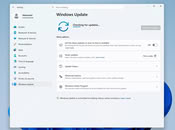
Windows Update
Interestingly, this update focuses more on resetting the support cycles that Microsoft is implementing, rather than introducing major features or overhauls. For those upgrading, the main change will be an extension of the support cycle as users transition to the 26H2 release. Starting September 29, 2026, there will be 36 months of servicing support for Enterprise and Education editions of Windows 11, version 26H2. Home and Pro editions will receive 24 months of support.


71 Comments on Microsoft Launches Windows 11 26H2 Update
Plus with LTSC you're lagging behind for months for any optimizations that are introduced with the regular versions.
It's designed for specific enterprise usage case scenarios which prioritize maximum reliability over functionality. This isn't suitable to the general public which is why Microsoft doesn't even sell LTSC licenses to them and so by advertising it you also encourage piracy.
You're fooling yourself if you think using a 0.1% market share OS version is the right choice as a user, especially on a latest gen gaming PC like yours. It would run better on home or pro.
Even regular Enterprise has slop installed (and automatically reinstalled) by default, like consumer grade AI, games, adverts, plugs, etc.
I'd like to point out that LTSC gets many of these "optimizations" anyway, those aren't generally tied to large new features, which is the only thing LTSC doesn't get in updates.
At least until the next four years passes, and a new LTSC build is readied, where the actually useful features are included, of course with the option to easily disable or remove them, assuming they're on by default and not just available.
Call it an assumption on my part if you want, it doesn't change the logic.
Also, LTSC is not available for general consumer use, the defense it gets still impresses me when users have to resort to a corporate version to have a usable OS.
I apologize if I have somehow frustrated you, that wasn't my goal.
Also you have a cool PC, I'm curious to see how it looks like :)
Prepare yourself for jank. It's very functional - looks like needs dusting and it does, but the actual radiators/fans are super clean. I don't really care much how the front reservoir looks, I know it's at an angle, but I'd have to custom make a mount since where it is used to be a faceplate.
There's a fan extension coming from my fan controller board, leading away from the PC, because I've got the G1 version of the NF-A12x25 attached to my wife's laptop stand, doing some cooling work. Was from when I upgraded to the G2 variants for my four 120 and one 140 mm.
One of the RAM RGB is CPU % load, the other is GPU temp, blue to red for at a glance monitoring, with OpenRGB.
I do have the CNC sideplates, but they're annoying to put on/take off each time I change something, and I didn't have filters anyway, so who cares.
Here's the other side.
I couldn't be bothered to further strip down the entire system since it's a pain in certain parts, due to density, so I just went the long way with one of the tubing routes, hence the spiral at the front. Again, temps are great, so I'm happy. Mad scientist stuff.
This is all very OT of course, so I'll stop here, but since you asked.
I've had this case since something like 2020, it's a Sliger SM570, still annoyed I didn't go for the SM580.
Here's what the same case looks like if you take care to keep aesthetics nice.
I used to have a second radiator at the bottom, and a waterblocked 3080 Ti FE, but it isn't necessary with the 5070.
It reminds me of one i did a few years back :D
Sorry for the OT too :p
Same attitude I have towards LTSC.
I don't care what it looks like as long as it's easy to work on/clean, and small/out of the way. For a 13 L box, I'm happy with it.
LTSC is the same thing, I don't have to first reverse a bunch of silly defaults with regedits and Group Policy, it's just 90% of the way there. 30 min later it's ready for normal use.
However if using Windhawk I strongly suggest using it in blacklist mode for hooking.
And queue the usual Microslop bad, LTSC is good even though I 99.99% pirated it.
And it's launched!!!!!!!! ;)
This principle states, among other things, that once a license has been released, its protection is exhausted. As a private customer, I am then legally permitted to purchase such a license and use it. It doesn't matter at all if a few people here believe that Redmond's terms of service are legally binding. Fortunately, they are not.Microsoft Defender will continue to receive updates regardless. In our case, more than enough.
Regards,
Fred.