News Posts matching #Copilot

Return to Keyword Browsing

Microsoft Patent Describes Paying PC Owners to Train AI on Idle GPUs

Gaming PCs sitting idle could one day earn their owners credits, or even cash, by training AI models, at least if a newly published Microsoft patent application ever becomes a product. Titled "Opportunistic Micro-training on Edge Devices Using Spare GPU Utilization," the filing US-20260349820-A1 from Microsoft Technology Licensing was submitted in April 2025 and made public on November 5. It describes chopping large training jobs into small micro-tasks sized to what each device can handle, then sending them to phones, laptops, and gaming PCs whenever they have spare capacity. Owners would have to explicitly opt in, after which the system could track the work done and apply credits to their account, redeemable for free software, access to the trained model, or money.

To stay out of the way, the system watches GPU and CPU load, memory use, temperature and power draw, and checks less often when the GPU is busy or hot. Apparently, tasks can be paused or stopped when limits are crossed, and results get cross-checked across devices to catch faulty or tampered work. The filing doesn't give a payout rate or list supported hardware, and Microsoft hasn't announced a Windows or Xbox service, so it's impossible to say whether the rewards would cover the extra electricity. Of course, this is only an application for now, and plenty of those never turn into products.
Windows 11 Gets New Command Palette Features and Mouse Button Lock in PowerToys 0.102

Microsoft's in-house PowerToys utility may be one of the most useful tools for fixing many of the shortcomings of Windows 11, and its latest update, version 0.102, adds a number of new features to the productivity suite that will be just as useful for everyday users as they will be for those who need accessibility accommodations. The headline features of PowerToys 0.102 are the new CursorHide and Mouse Button Lock. CursorHide is a configurable tool that allows Windows 11 users to hide their mouse cursor automatically while typing, after a user-defined period of inactivity, or both.

Mouse Button Lock is somewhat more involved, being a customizable mouse feature that sort of works like an accessibility tool. It allows users to set mouse buttons to automatically lock in the clicked position after being held down for a certain period. The example provided by Microsoft's PowerToys team is to use Mouse Button Lock to perform click and drag operations—as you might imagine, Mouse Button Lock will be significantly more useful to users of certain hardware setups, like trackballs and trackpads. It can be configured on the left, right, and middle mouse buttons, and users can customize the mouse hold duration and set up a movement threshold that helps cut back on misfires.

Microsoft Brings Its Customizable File Explorer Context Menu to Windows 11 Beta Insiders

Microsoft's redesigned File Explorer context menu is now rolling out to Windows Insiders in the Beta channel with build 26220.9757. The new menu first showed up in the Experimental channel back in August, when the File Explorer team admitted that the Windows 11 right-click menu had grown cluttered and sluggish over time, partly because every app that adds its own entries makes the menu do extra work each time it opens. The redesign trims the top level down to commonly used actions and adds a new Settings page, reachable through a "Customize menu" link at the bottom of the menu, where users can pick what shows up.

Going by Microsoft's August post, the customization goes fairly deep. Built-in commands such as Send to and Create shortcut can be toggled on or off, Print can be added, and app extensions can sit in the main menu or a submenu, or be hidden entirely. Cut, Copy, Paste, Rename, Delete, and Share can also be shown as text instead of a row of icons, and Properties can be moved to the bottom. A first-time teaching tip may also pop up to point people toward those options. Microsoft says it will keep refining the design based on Insider feedback, so some of this could still change.

Microsoft Warns AI Agents Can't Be Trusted, But Continues Adoption

Microsoft is one of the few companies evaluating the dangers of AI while simultaneously implementing the latest features across its product portfolio with cutting-edge designs, advanced models, and top-tier frameworks. However, this doesn't mean the company is halting the rollout of new AI features, despite being aware of the risks of these products on consumer PCs. For example, on PCs running the Windows 11 operating system, the Copilot AI companion includes features that can control some actions on your PC, with your consent. Yet, the company is now arguing in a separate news post that frontier models and the agents running on them are not to be trusted.
Unfortunately, frontier models, regardless of their origin, cannot be trusted. This is not because models are inherently malicious. Models have been trained to attain results, which often leads to reward hacking, and models are not optimized around organizational norms or judgment. Agents are unpredictable. They will adapt as the context changes, may not behave as intended and will collaborate and collude with other agents to reach their objectives, without needing to be compromised.

Microsoft Scales Back Copilot Integration in Windows 11, Removes Eight File Explorer Actions

Microsoft is officially cutting back on forced AI adoption that has been troubling Windows 11 users by working to simplify AI use across its operating system. According to a report by Windows Latest, Microsoft is removing Copilot actions related to OneDrive in File Explorer. This means that a simple right-click to open the context menu and then selecting the OneDrive icon will no longer present a long list of tasks that Microsoft's Copilot LLM would perform on the file. These tasks included summarizing, comparing, and asking questions, which provided minimal value on their own. Instead, Copilot features like these can be accessed through "Ask Copilot" or other less intrusive methods. This change is part of a OneDrive update aimed at reducing eight AI actions and keeping them available for those who wish to use them. Image below is a courtesy of Windows Latest, which shows how these actions look like.
MicrosoftAs part of this change, we're retiring the OneDrive Copilot Summarize, Create FAQ, Compare Files, Ask a question, Explain image, Explain images, Compare images, Extract text actions from the File Explorer context menu... Users can still access Copilot features via right-click "Ask Copilot," the File Explorer Home icon, or the OneDrive activity center.

Microsoft Rebuilds Windows 11 Search, Adds Typed Commands and Inline Copilot

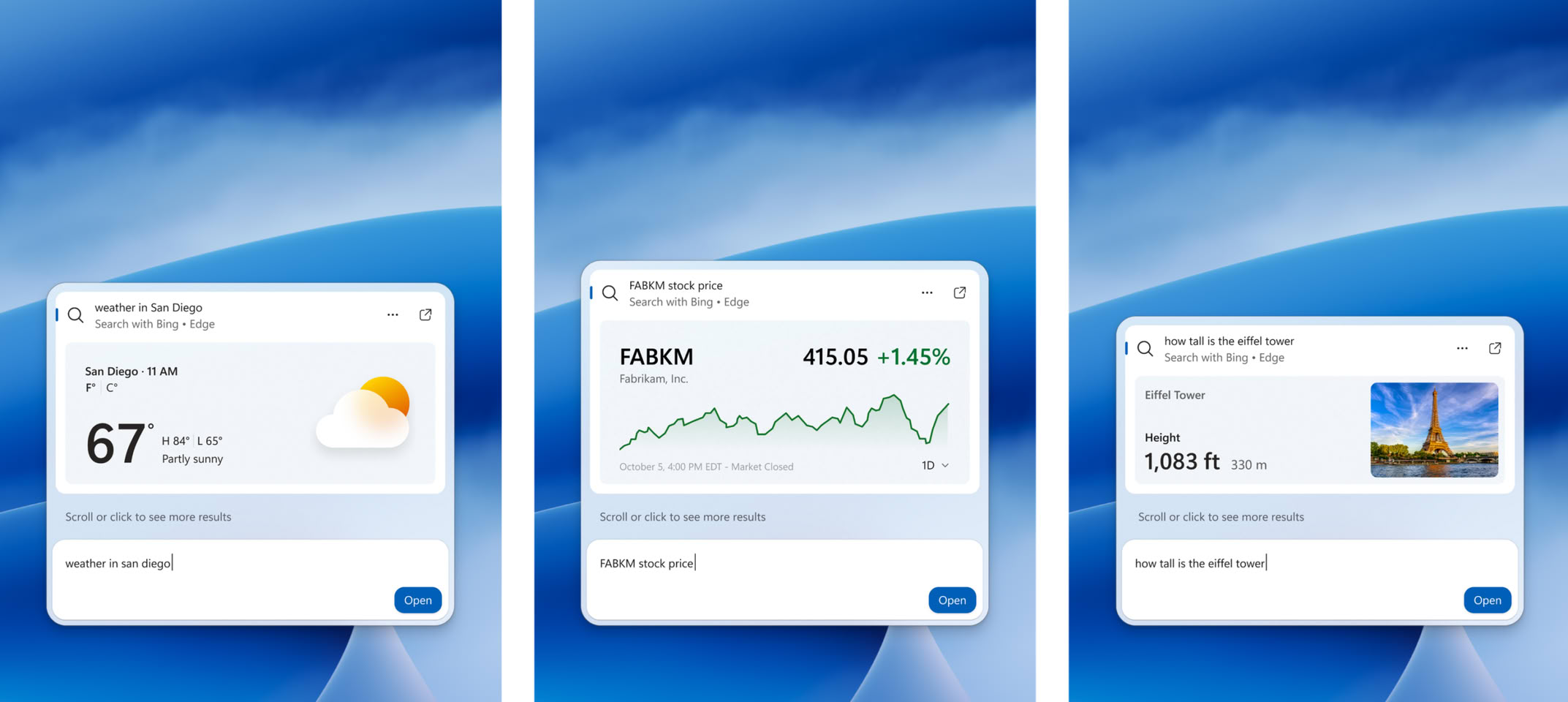
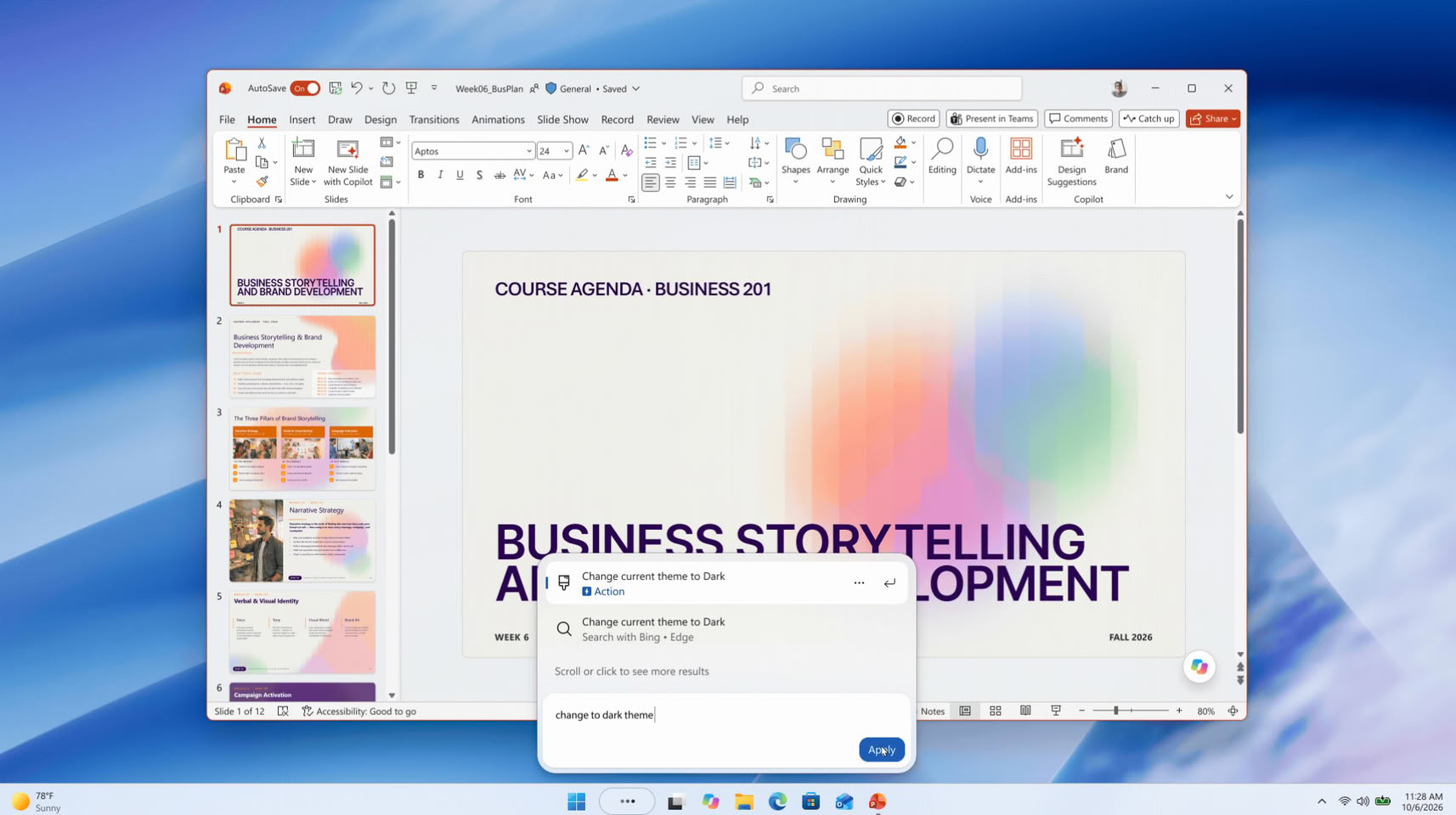
Microsoft has unveiled a rebuilt Windows 11 Search at its Windows and Surface event, and it can now change system settings straight from the taskbar. Windows chief Pavan Davuluri showed it on stage, and Microsoft says the box will handle thousands of quick actions typed as simple commands. Examples include "switch to dark mode", "turn on Bluetooth", "dim my screen", "mute", and "minimize all my windows". Microsoft says these are only the first batch, and Phone Link actions such as sending a text message from a connected phone are also planned. The more interesting part for enthusiasts is probably under the hood. The new Search is built on WinUI 3, which Microsoft says makes it faster and lighter on system resources, and early testing apparently showed sizable gains in speed and memory use.

The layout is now a single list of results, replacing the current design with its large preview pane. Search should also cope better with typos and synonyms, and richer file details and web previews are planned for later this year. Copilot is part of it too, of course. Its answers show up inside Search, with a shortcut to open the full app. This follows the July cleanup that removed ads and promotional content from Search and added a setting to hide web and Microsoft Store suggestions. The new version started rolling out to Windows Insiders in the Experimental channel on October 7. Microsoft is targeting this fall for regular Windows 11 PCs, though there's no exact date yet.

Microsoft Launches Windows 11 26H2 Update

Microsoft today released its latest Windows 11 26H2 update, bringing a new milestone for Windows 11 users. In this release, Microsoft is highlighting a few features that Windows 11 25H2 users have not yet experienced. These include a smarter File Explorer with new capabilities such as summarization, additional archive formats, and AI productivity enhancements. Additionally, Windows Search has been improved to prioritize searching through your files before resorting to web searches, while also handling typos and partial application names more effectively. Frequently used folders will receive automatic indexing, making them easier to find. Other optimizations include updates to Magnifier with new zoom and screen tint options, Narrator adding a Braille Viewer, and Voice gaining a wider range of voice-driven commands on Copilot+ PC. Finally, the Start menu and Taskbar now offer new customization options, positioning changes, and a smaller view option.

Interestingly, this update focuses more on resetting the support cycles that Microsoft is implementing, rather than introducing major features or overhauls. For those upgrading, the main change will be an extension of the support cycle as users transition to the 26H2 release. Starting September 29, 2026, there will be 36 months of servicing support for Enterprise and Education editions of Windows 11, version 26H2. Home and Pro editions will receive 24 months of support.

Microsoft CEO Satya Nadella Calls Updated Copilot a "New OS for Work"

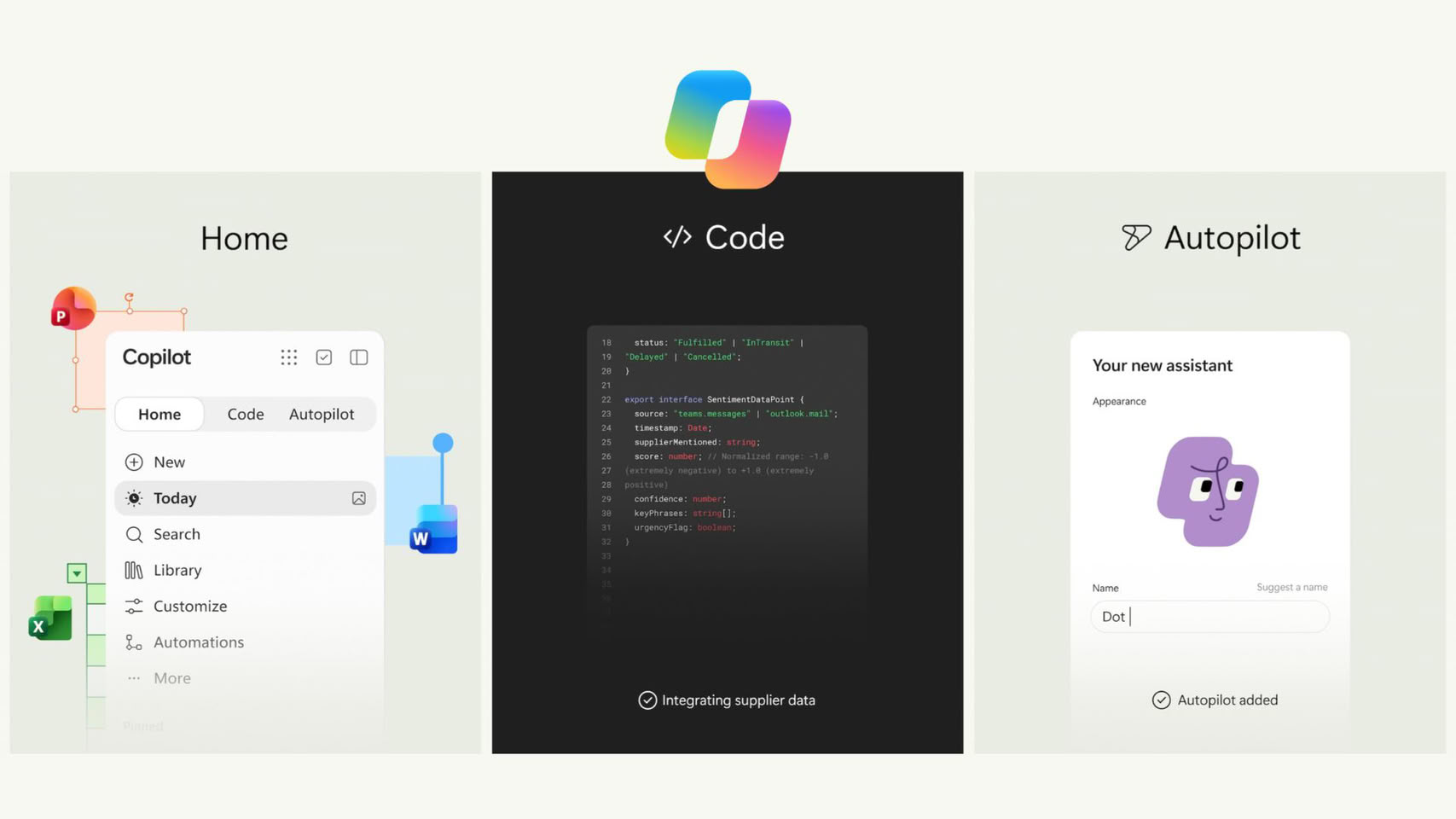
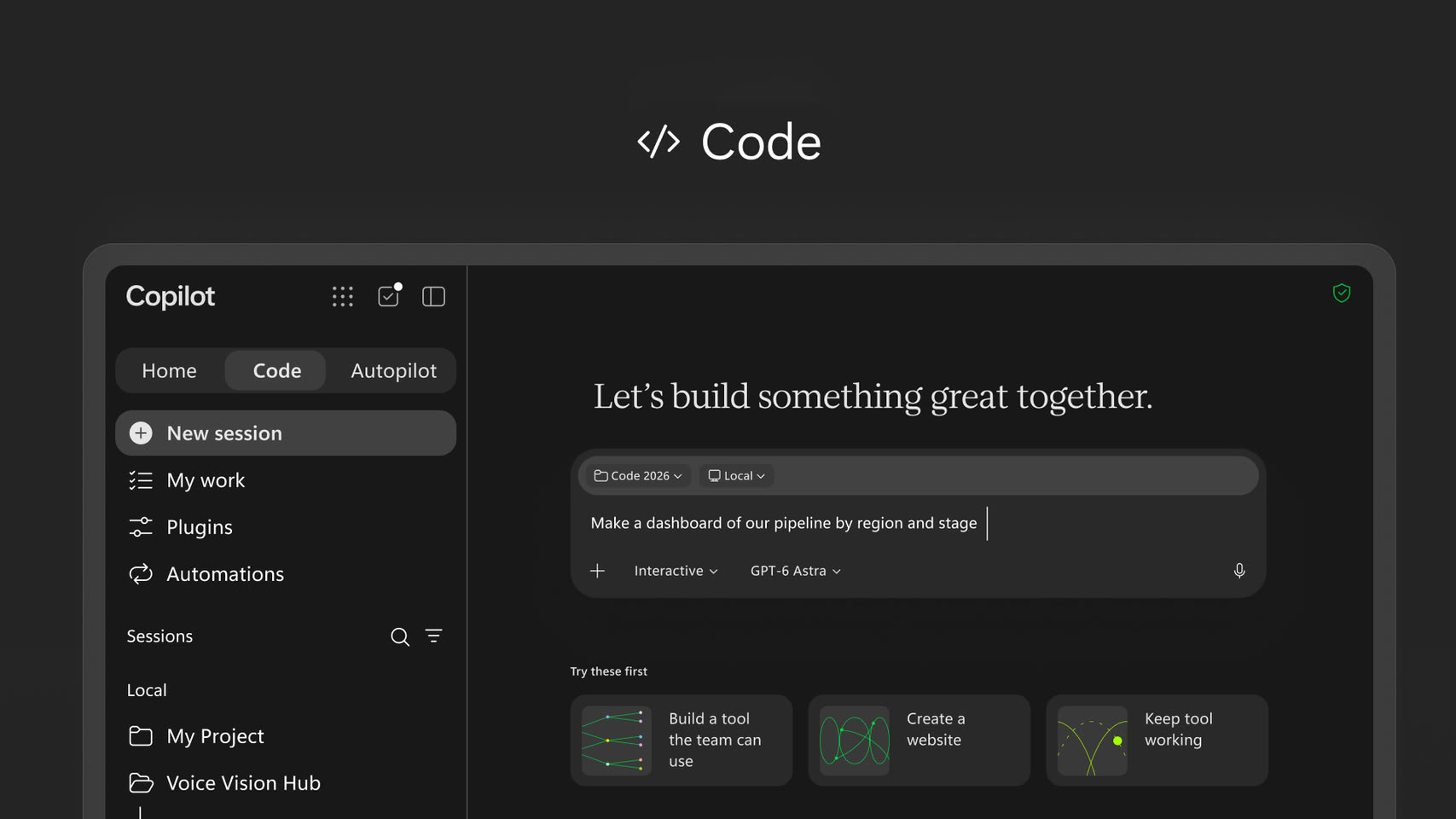
Microsoft CEO Satya Nadella has laid out his most direct pitch yet for what Copilot is supposed to become, calling it a "new OS for work that spans every model, every form factor, and every task." The comment came alongside Microsoft's biggest Copilot overhaul to date, which merges four pieces into one app: Autopilot (a long-running enterprise agent), Code (an in-app builder that hosts apps inside a company's own tenant), Home (which combines Chat and Cowork), and Office, with Word, Excel, and PowerPoint now built directly into Copilot. Nadella also mentioned Copilot support inside Teams, plus a new feature called Today that pulls relevant information from across Microsoft 365 without the user having to ask.

It looks like Microsoft wants Copilot to work more like a proactive layer sitting across a person's entire workday instead of a chat window they open on demand (or by accident). Interestingly, Microsoft avoided calling Copilot part of the Windows 11 operating system this time, a year after its "agentic OS" framing for Windows drew a fairly rough reception from users. This is not even the first time Microsoft has thought about expanding Copilot in this way. Microsoft did explore a full Copilot-centered operating system internally, under the codename Project Aion, though that reportedly dates back to 2024 and there's no word on whether it's still active.

Microsoft Copilot+ Branding Disappears from Latest Surface PCs

Microsoft's recent Snapdragon-powered Surface Laptop and Surface Pro launch was surprisingly absent the usual Copilot+ branding, aside from as a callout to the inclusion of the actual AI assistant on the devices. Apparently, this was an intentional branding change, according to Surface Corporate Vice President, Brett Ostrum, in a new interview with Windows Central.
The purpose for Copilot+ PCs was to be able to deliver experiences. So it was to define a certain category of devices with a certain bar and metric, like for example, a 45 TOPS NPU... So from that perspective, it's more offering the same experiences, probably without just using [Copilot+] terminology now."

Microsoft Introduces Surface Pro and Surface Laptop With Snapdragon X2 Plus

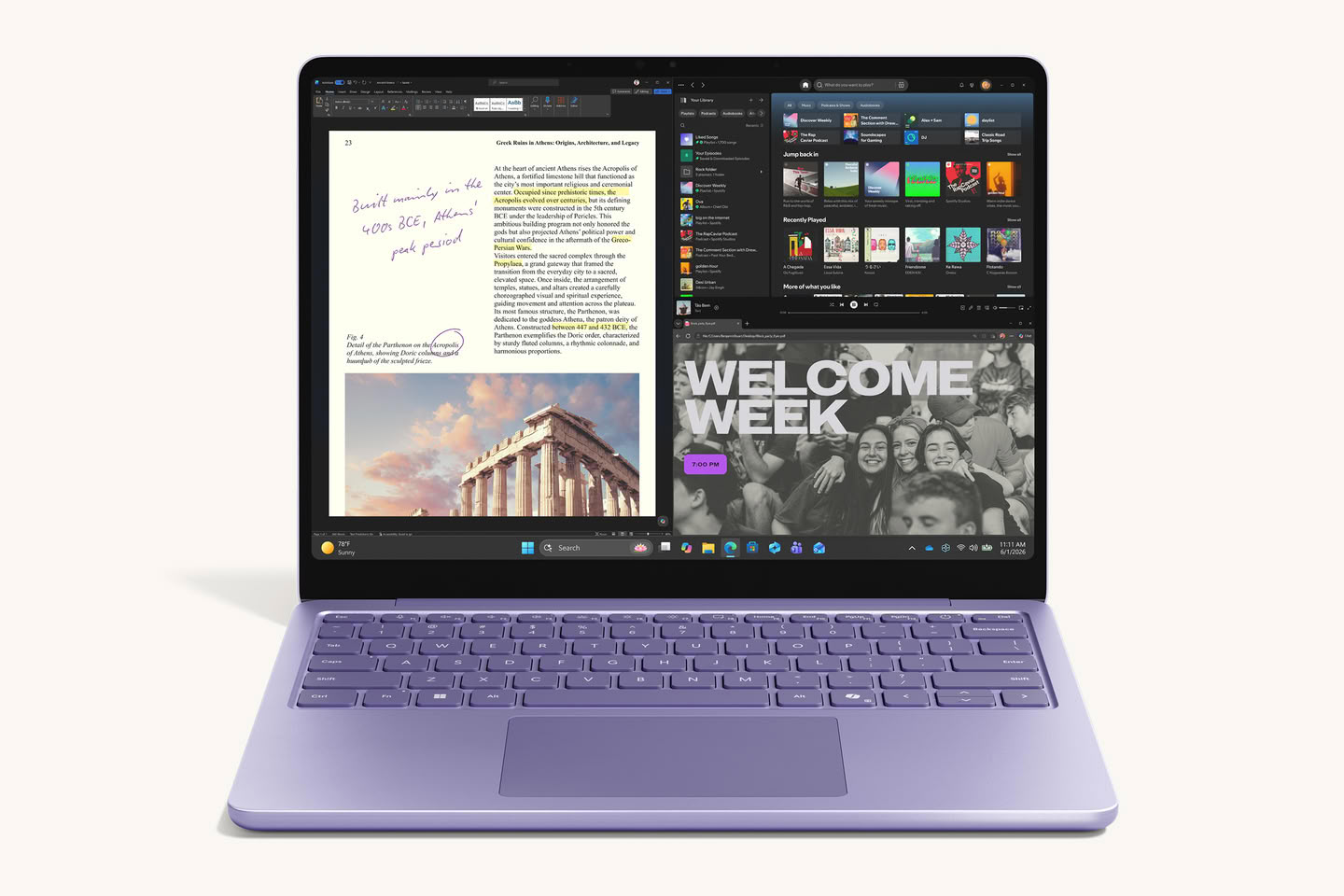
Today at Snapdragon Summit, we introduced the next Surface Pro 12-inch and Surface Laptop 13-inch, built on the Snapdragon X2 Plus processor, alongside the new Surface Mouse with integrated haptic feedback. Surface Pro 12-inch and Surface Laptop 13-inch are two of our most versatile Surface devices, designed to deliver the performance and battery life people need in PCs they can comfortably carry all day. This generation brings up to 18% more efficient battery performance, over 60% faster graphics, and 95% faster on-device AI—all in the same lightweight design.

What defines Surface laptops?
Surface is hardware built to bring the best of Microsoft to life—Windows, Copilot, and Microsoft 365 experiences that make a PC feel more useful, more personal and more responsive.

ASUS Announces the Snapdragon X2 Elite Based Ascent QN10 Mini PC

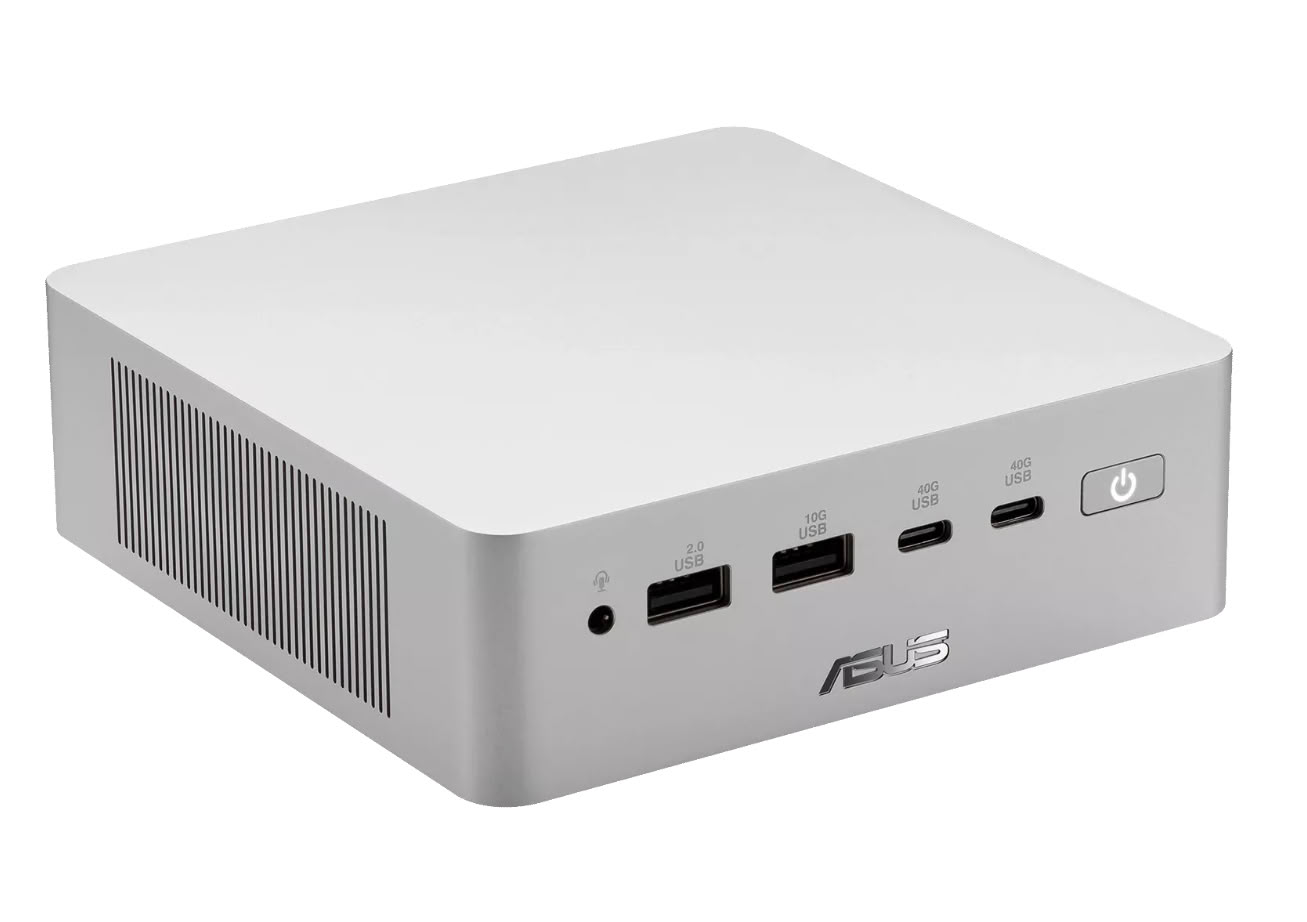
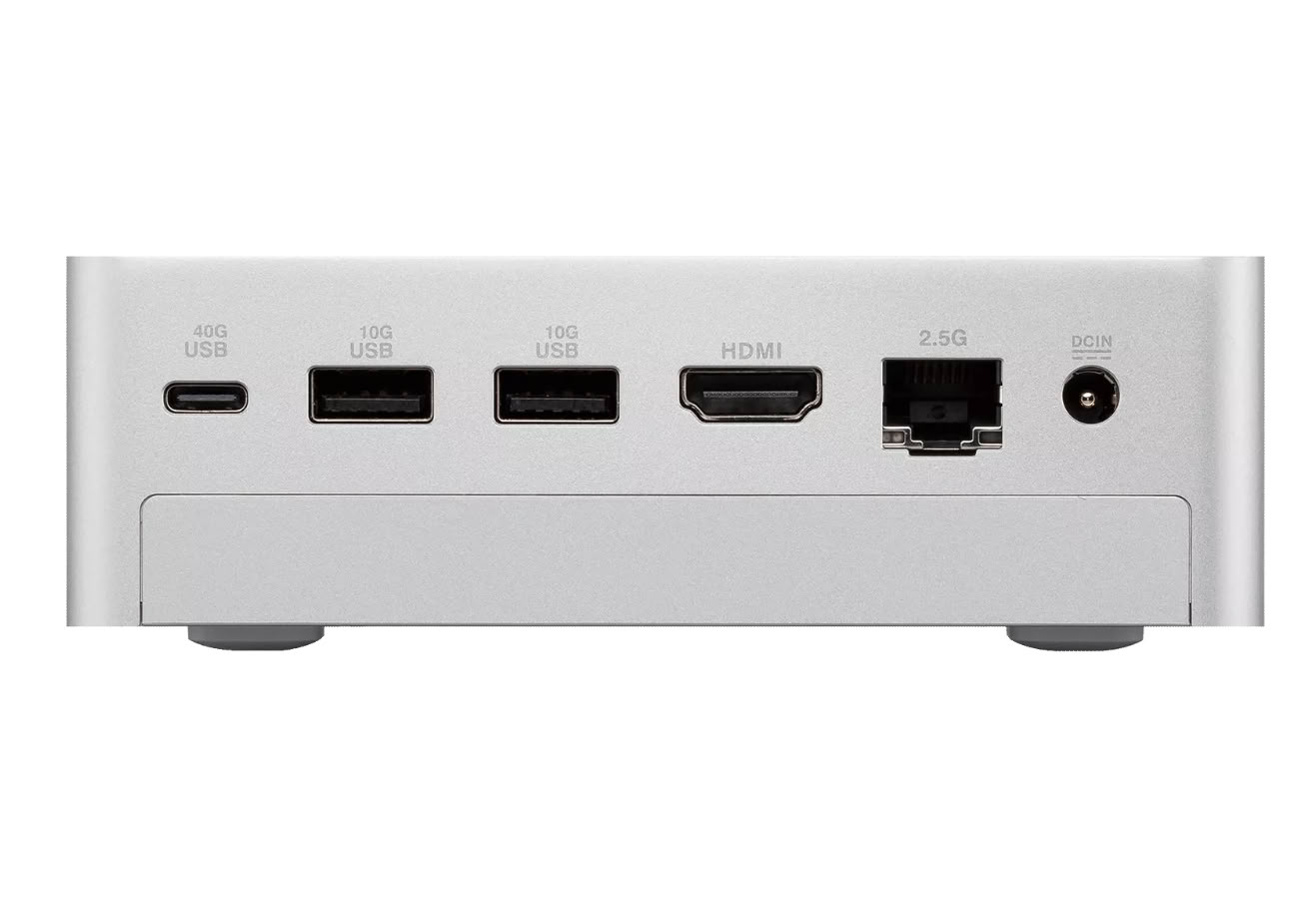
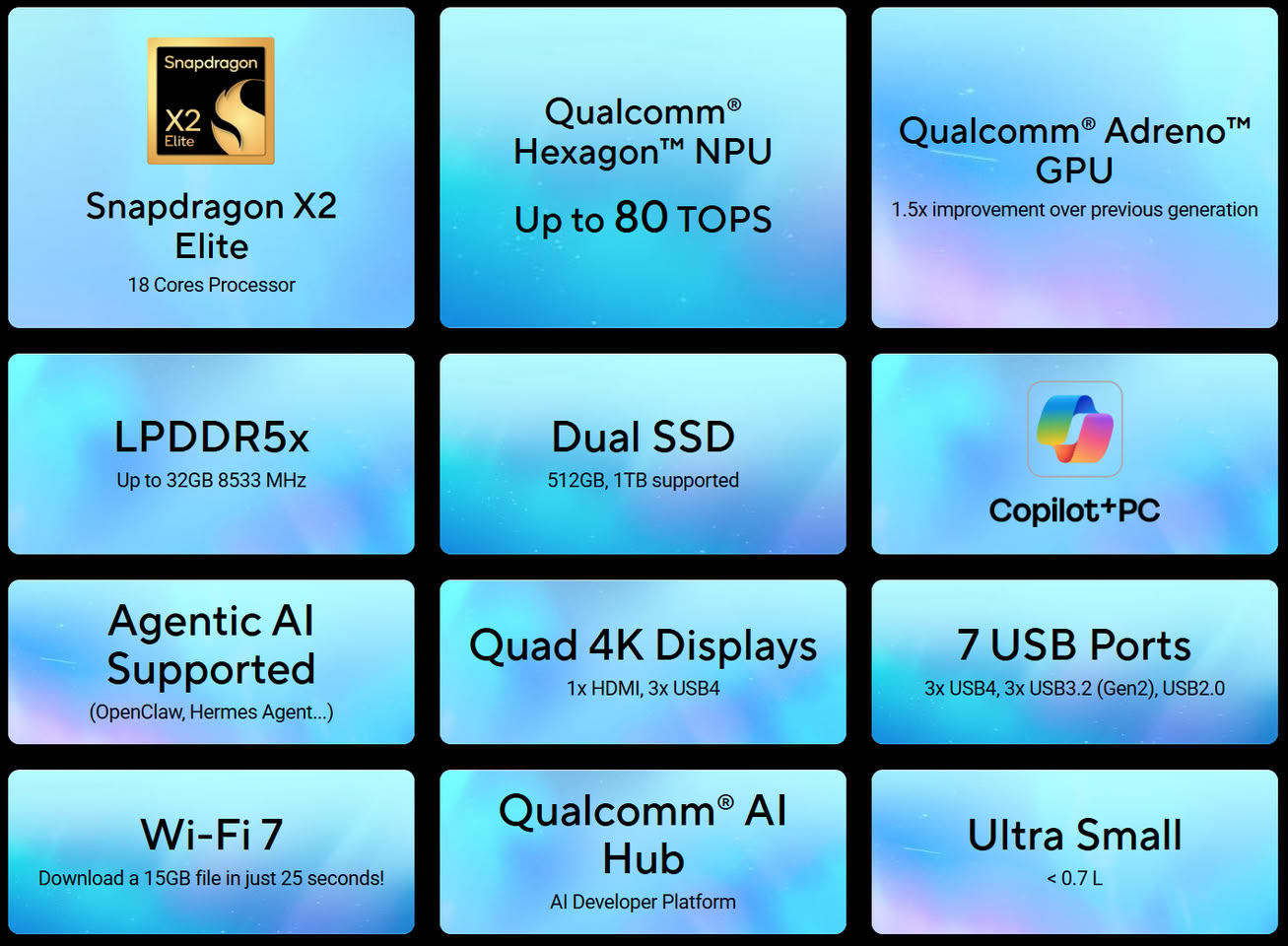
ASUS today announced ASUS Ascent QN10, the world's first AI mini PC featuring an 80 TOPS NPU, redefining AI computing in an ultracompact form factor. Powered by the latest Snapdragon X2 Elite platform with an 18-core Qualcomm Oryon CPU, Ascent QN10 exceeds Copilot+ PC requirements and delivers exceptional performance, responsive AI experiences, and outstanding energy efficiency.

With advanced on-device AI acceleration and enterprise-grade security, ASUS Ascent QN10 enables real-time AI workloads, intelligent content generation, productivity enhancement, and AI-assisted applications directly on the device. Designed for creators, developers, and enterprises, it empowers next-generation intelligent workflows in a compact yet powerful device, making it ideal for edge AI environments.

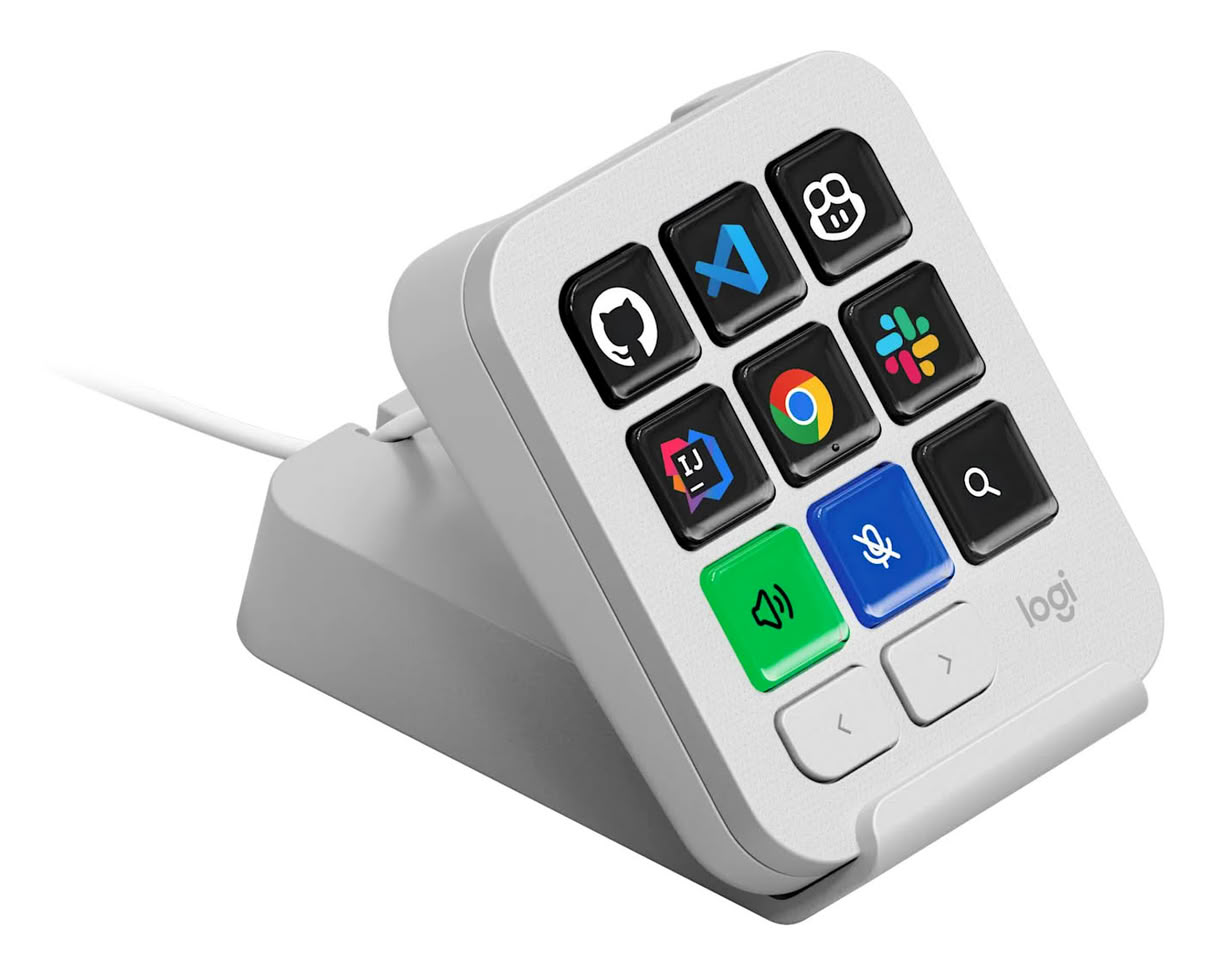
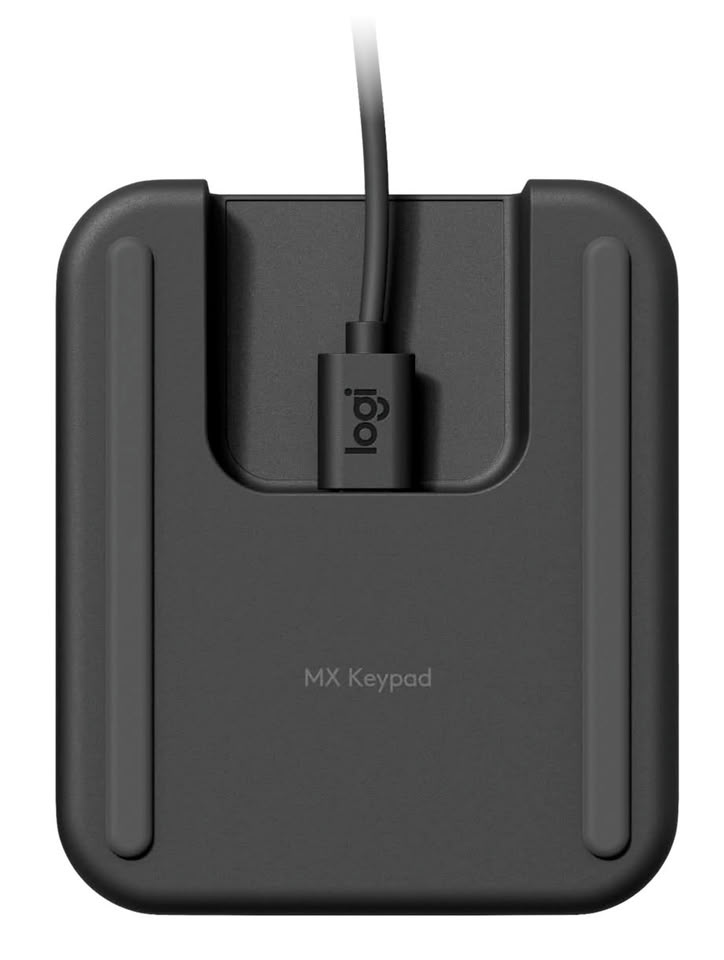
Logitech Unveils MX Keypad for Developers: The Customizable Multi-App Control Center

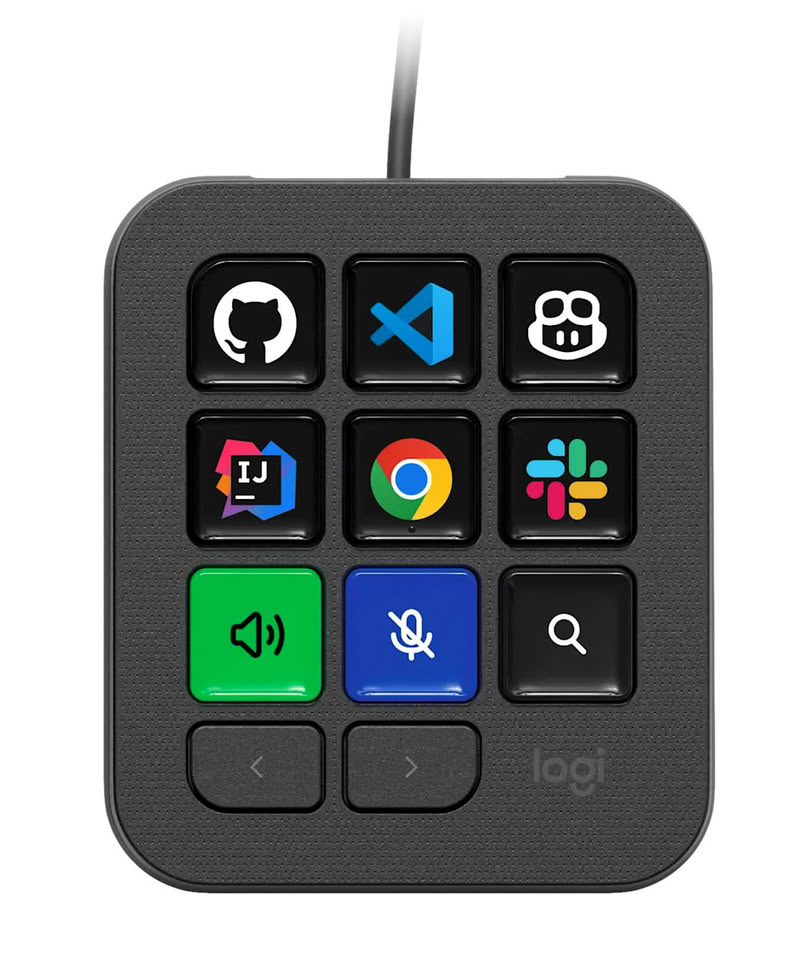
Logitech (SIX: LOGN) (NASDAQ: LOGI) today announced MX Keypad, the AI control center designed for multi-app, multi-agent coding to put developers in command of their evolving workflows.

Unlike other solutions on the market, MX Keypad offers cross-app compatibility with major coding platforms, allowing for unlimited customization tailored to each individual workflow. This unique level of versatility and personalization allows coders to unify their AI workflows, complex prompts, and dev tools, for a continuous, uninterrupted flow across their entire stack. MX Keypad includes a selection of plugins, created and tested by developers, for GitHub Copilot and Claude Code.

Microsoft Now Lets AI Build Native WinUI 3 Apps for Windows 11 in Under 30 Minutes

Microsoft has published a quick-start guide showing developers how to build a native WinUI 3 app for Windows 11 in about 30 minutes using AI. The workflow runs on free tools, VS Code,.NET 10, GitHub Copilot's free tier, and Microsoft's winapp CLI, so Visual Studio isn't needed. The guide covers scaffolding a project, using an AI agent to add features like a settings page, testing the result, and packaging it as an MSIX installer for the Microsoft Store.

The agent used here, called winui-dev, isn't the general Copilot chatbot most Windows users already know. Rather, it's a specialized plugin with skills for WinUI design, code review, UI testing, packaging, and migrating older apps. Microsoft also recommends connecting it to its Learn MCP server so it pulls current WinUI documentation instead of relying on training data, since WinUI 3 is newer and less represented in AI training sets than older frameworks like WPF and UWP.

Acer Focuses on Repairability and AI-powered Performance With New Vero 16 Laptop

Acer today announced the Acer Vero 16 (V16-I71 / V16-I71T), a premium laptop that incorporates purposefully sourced materials and significant repairability without compromising performance. Its design makes the device easier to repair and upgrade, while the chassis leverages recycled materials and low-carbon aluminium. Powered by Intel Core Ultra Series 3 processors, the Acer Vero 16 is a Copilot+ PC that delivers responsive performance and advanced on-device AI features for productivity, content creation, and entertainment. Combined with a stunning 16-inch OLED display and modern connectivity, the Acer Vero 16 delivers top-notch capabilities in a purposefully designed package.

"Sustainability should be built into every stage of a product's lifecycle—from raw materials all the way to packaging," said James Lin, General Manager, Notebooks, Acer Inc. "The Acer Vero 16 embodies this philosophy through its thoughtfully sourced materials and repairability-driven design, while delivering the AI-powered performance consumers expect from a modern PC."

Acer Introduces Veriton RI110 AI Mini Workstation for Powering Hybrid Agentic AI Workloads

Acer today announced the Acer Veriton RI110 AI Mini Workstation (VRI110), a compact yet powerful device engineered for organizations looking to accelerate AI innovation without compromising space, performance, or security. Powered by an Intel Core Ultra X7 processor 358H and Windows 11 Pro, the system delivers high-performance AI computing to expedite AI-assisted content creation, inference, design, and everyday productivity. Designed for modern AI workflows, the Veriton RI110 delivers the scalability and intelligence organizations require to balance local and cloud resources with the performance professionals expect.

Performance for Advanced AI Workflows
Built to support up to 120 billion parameter AI models, the Acer Veriton RI110 pairs an Intel Core Ultra X7 processor 358H with Intel Arc B390 graphics to deliver responsive performance across content creation, development, and AI-powered applications. Complemented by up to 96 GB of LPDDR5X memory and up to 4 TB of PCIe Gen 4 SSD storage, the system enables fast multitasking and effective handling of complex datasets, models, and creative projects.
ASUS Announces the New ExpertBook B3 G2

ASUS today announced the new ASUS ExpertBook B3 G2, a configurable laptop designed for business, available in 14-inch (B3406CMA) and 16-inch (B3606CMA) models and featuring a durable, lightweight design starting from just 1.45 kg that offers a 180° lay-flat hinge, AI capabilities. enterprise-grade security, and seamless collaboration.

Powered by up to the latest Intel Core 7 Series 3 processors with integrated GPU and NPU acceleration, ASUS ExpertBook B3 G2's advanced AI features—including Microsoft Copilot, and AI noise-canceling technology—enhance business productivity. The lightweight, easy-maintenance design offers extensive I/O options and support for high-speed WiFi 6E connectivity. Security is strengthened by ASUS ExpertGuardian, delivering NIST SP 800-193 compliance, dual ROM recovery, and TPM 2.0 protection for robust data resilience.

Microsoft Unifies Copilot Features Into a Super App

Microsoft is finally scaling back on creating numerous Copilot variants for every use case and is instead consolidating many Copilot buttons, icons, and functions into the main Copilot app. According to the latest support document update, Microsoft is rolling out a unified Copilot experience to create a Copilot "super application," bringing all the functionality that was previously spread across the operating system under one roof. These features include Deep Research, Group Chat, and Podcasts. The Deep Research functionality is being retired for consumers, but existing content will remain available. The same applies to Podcasts and Group Chat, which will be fully retired starting August 18.
Microsoft notes that the updated Copilot application is introducing a fresh look, with the ability to access Word, Excel, Outlook, and many other Microsoft 365 services and apps directly from the Copilot super app. Users who were using Copilot functionality across the operating system that is being retired will now find everything under one roof, with chat history and the majority of content being moved to the new home. The migration will include chats, images, and any type of content that has been created with Copilot.

Bosgame Introduces E6 ECO Mini PC Powered by Intel "Wildcat Lake" CPU

BOSGAME, a technology-based electronic product brand, today announced the upcoming launch of the E6 ECO, the newest addition to its Ecolite Series of Mini PCs. Scheduled for global release on August 15, 2026, the E6 ECO is designed to deliver reliable everyday computing, energy efficiency, and versatile connectivity in a compact form factor. Among its key highlights, the E6 ECO is one of the first Mini PCs to feature Intel's new Core 3 processor 304 based on the next-generation Wildcat Lake platform.

Built for home offices, students, families, remote workers, and small businesses, the E6 ECO combines responsive performance with low power consumption, making it well suited for productivity tasks, web browsing, media streaming, and daily computing needs. "The E6 ECO is proof that everyday computing doesn't have to be complicated or expensive. Just fast, quiet, and ready for whatever the day brings," said James Cao, General Manager of BOSGAME.

Microsoft Planned Lightweight, Browser-Based "Aion" OS

Thanks to a discovery by Windows Central's Zac Bowden, we have learned that Microsoft once developed an operating system codenamed "Aion," entirely dedicated to web-based applications and agentic AI, with no local application installations or usage. In a video dating back to 2024, Microsoft claimed that "Aion is an example of a web-based agent OS that natively integrates Copilot into the core of the shell." Microsoft aimed to create a lightweight, Edge browser-based OS that runs nearly all of its components in the cloud, as web-based applications have become indistinguishable from many local installations. This means the OS would run Office for the web, including Word, Excel, PowerPoint, and many other applications, as well as third-party web applications.

The OS is centered around Microsoft's Win3 codename, which doesn't share many similarities with the current Windows OS stack, and the Win3 code wouldn't allow Win32 applications to run at all. Since the whole point of this OS would be cloud applications running through the browser, no local apps would be needed, hence no Win32 support. Realistically, this could work on smaller client PCs across offices worldwide as a way to provide most office work functionality with very little computing power, meaning minimal investment in local hardware. While some enterprises might see this as a benefit, storing important files and work, as well as running applications locally, remains very important for many businesses. As a result, the idea didn't make it into any current product that Microsoft offers. Although Microsoft may have foreseen the agentic AI era back in 2024, there wasn't enough demand at the time to launch an operating system like this.

Microsoft Will Again Force-Install Microsoft 365 Copilot App on Windows 11

If readers recall, earlier this year in mid-March, Microsoft stopped automatically installing its Microsoft 365 Copilot App on Windows 11 by default. Instead, the company decided to leave this option to users, which makes sense considering it is their operating system. However, Microsoft is now reversing this decision after only a few months, once again requiring the installation of the Microsoft 365 Copilot application on Windows 11 systems. For those familiar with the regular Copilot application, Microsoft 365 Copilot is the rebranded version of what was originally called Microsoft 365 / Office Hub. This app was introduced alongside the regular Copilot app on Windows 11 systems, offering AI-enhanced Microsoft 365 services.

In a recent note on the Microsoft Admin Portal, the company states that users will have to opt out if they don't want the Microsoft 365 Copilot App installed by default on their system. This means users might end up installing the app without their consent, even if they don't want it on their systems. To remove it, users must do so manually or opt out of the installation, which involves additional steps, particularly for IT admins managing an organization's infrastructure. The company now states, "This change simplifies access to Copilot and ensures users can easily discover and engage with productivity-enhancing features."

Acer Launches Comprehensive Lineup of Veriton Workstations and Desktops

Acer today announced four new Veriton commercial desktops and workstations designed to elevate performance, security, and AI capabilities. Across performance levels and form factors, the new lineup offers enterprises, SMBs, AI developers, and creative professionals a comprehensive range of solutions to meet diverse stationary computing demands.

Acer Veriton RA110 AI Mini Workstation for Advanced AI Workloads
The Acer Veriton RA110 AI Mini Workstation (VRA110) is a Windows 11 Copilot+ PC built for developers, product engineers, and creative professionals who need to run advanced AI workloads locally—including agentic and generative AI, 3D design, and content creation. Powered by the AMD Ryzen AI Max+ 395 processor with AMD Radeon 8060S Graphics, the system is capable of running up to 126 TOPS, supporting AI models of up to 200 billion parameters per system to tackle the most demanding professional applications.

Acer Unveils Sub-1kg TravelMate P6 14 AI Business Laptop

Acer today announced four new TravelMate business laptops designed to bring the latest performance and AI capabilities to enterprises and small and medium businesses (SMBs). The flagship model is the premium TravelMate P6 14 AI, an ultra-lightweight Windows 11 Copilot+ PC powered by Intel Core Ultra Series 3 processors with Intel vPro. The new lineup also debuts Acer's first commercial laptops powered by the latest Intel Core Series 3 processors—TravelMate P2 Spin 14, TravelMate X2 15, and TravelMate X2 14—designed to deliver dependable performance, built-in security, broad compatibility, and accessible AI acceleration, helping reduce fleet downtime, simplify support, and maximize employee productivity.

Acer TravelMate P6 14 AI: Limitless Productivity in an Ultra-Lightweight Windows 11 Copilot+ PC
The ultralight-weight TravelMate P6 14 AI (TMP614-55-TCO, TMP614-55T-TCO, TMP614-55, TMP614-55T, TMP614-74-TCO, TMP614-74T-TCO, TMP614-74, TMP614-74T) is Acer's flagship commercial laptop for enterprises seeking the highest level of security and AI-powered performance in a portable, premium package. The device is a Windows 11 Copilot+ PC powered by the new Intel Core Ultra Series 3 processors with Intel vPro, delivering up to 150 TOPS of platform AI power for supercharging a variety of workflows.

Acer Broadens Portfolio with Two New Laptops Powered by the Latest Snapdragon Processors

Acer today introduced the Swift Spin 14 AI and the Aspire Go 15, broadening the company's laptop portfolio with a greater range of devices powered by Snapdragon. A premium ultraportable AI laptop, Swift Spin 14 AI features a Snapdragon X2 Elite or Snapdragon X2 Plus processor.

"Snapdragon X2 Series processors deliver leading performance combined with a highly portable, convertible design, coalescing to result in more than the sum of their parts in Acer Swift Spin 14 AI," said James Lin, General Manager, Notebooks, Acer Inc. "With these synergies, this laptop powered by Snapdragon is the ultimate engine for high-output achievers who demand uncompromising speed, AI integrated processing, and multi-day battery life."

Microsoft Copilot Returns as a Sidebar in Windows 11

Microsoft is still experimenting with how to integrate its Copilot AI into the Windows 11 operating system, and the company seems determined to make its AI companion a primary feature on the desktop. According to a change that is gradually rolling out, Copilot now appears as a sidebar application, returning to the original form that Microsoft advertised back in 2024. By default, the first version of Copilot was a standalone application. However, Microsoft has updated the application to include an option to dock Copilot as a sidebar, which pushes all other applications aside. This change aims to increase product visibility and encourage users to discover any productivity benefits from the application. The new Copilot AI sidebar can be docked to either the left or right side, depending on user preference. In response, Windows 11's UI automatically resizes and moves desktop applications to accommodate the sidebar.

For those who remember, when Copilot launched in 2024, its original design was as a sidebar application, which was later changed to a standalone desktop design. After several iterations, we are now back to the original design, which is more integrated with desktop context menus, applications, icons, and other UI elements in Windows 11. The new design can be seen below, courtesy of Windows Latest.

Microsoft to Make Copilot Key Reprogrammable

Microsoft in 2024 announced the AI PC specification that introduces a dedicated Copilot key for laptops and desktops. This would be a key dedicated to launching the Copilot or M365 Copilot app, similar to the two Start keys. Quite a few OEMs simply replaced the right-hand Ctrl or Context Menu key with the Copilot key. The company has been reeling in pushback from the userbase over being force-fed Copilot integration with all Microsoft products and services, including XBOX. In light of this, the company is working on an update to Windows 11 that makes the Copilot key reprogrammable by end-users. You should be able to remap the key to a Context Menu key, your missing Right Ctrl key, or an additional Start key.
Return to Keyword Browsing
Nov 11th, 2026 06:15 CST change timezone

New Forum Posts

Popular Reviews

TPU on YouTube

Controversial News Posts