Friday, August 29th 2025

ASRock BIOS 3.40 Improves CPU Stability and Reduces AM5 Burn Risk

ASRock released BIOS version 3.40 for its AMD 800-series motherboards, presenting the update as a general stability and compatibility refresh for memory and CPU operation, while subtly addressing the AM5 socket burn issue. The release notes claim improved memory compatibility and system stability, as well as enhanced CPU operating stability, without explicitly mentioning socket or CPU burns. Reported differences include a fixed Load Line Calibration setting for the SoC at level 3, instead of Auto, and a default SoC voltage of around 1.20 volts, which lowers the likelihood of voltage spikes and sustained overvoltage. Those changes suggest that the new firmware will attempt to maintain operating parameters closer to conservative limits, which in turn would reduce stress on sensitive Ryzen 9000-series X3D processors that some users have found to be more susceptible to socket burning on certain boards.

AMD has previously blamed motherboard vendors and BIOS ODMs for this behavior, which suggests that motherboard vendors use ODM BIOS that do not adhere to AMD's official specifications. For ASRock motherboard owners, even if you are not experiencing unexplained instability, consider applying the update while following ASRock's official flashing instructions and backing up critical data. For users with already damaged processors, a BIOS update cannot reverse any hardware failure/burn, but 3.40 may reduce the chance of further incidents by enforcing safer defaults. We are monitoring user reports for the ASRock motherboard model to determine if this release effectively resolves the issue.
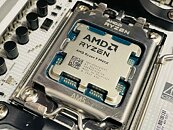
Source: ASRock
Add your own comment

52 Comments on ASRock BIOS 3.40 Improves CPU Stability and Reduces AM5 Burn Risk

#1
Igb
It is 2025. Updating BIOS is not as risky as it used to, and there are more and cheaper alternatives to fix it. So I totally disagree with the following:
if your system is currently stable, monitor initial feedback from owners of the same board model before updating
No, that is a mistake. If there is risk of degradation or burnt cpus do not wait for feedback and consider updating your BIOS ASAP if you have an asrock board.
Posted on Reply
#2
AleksandarK
News Editor
IgbIt is 2025. Updating BIOS is not as risky as it used to, and there are more and cheaper alternatives to fix it. So I totally disagree with the following:

No, that is a mistake. If there is risk of degradation or burnt cpus do not wait for feedback and consider updating your BIOS ASAP if you have an asrock board.
You are right, updated!
Posted on Reply
#3
Igb
AleksandarKYou are right, updated!
Thank you, much better :)
Posted on Reply
#4
user556
Sounds like they're saying they haven't found any decent reason for the burnt CPUs and therefore there is still no particular fix.
Posted on Reply
#5
ixi
user556Sounds like they're saying they haven't found any decent reason for the burnt CPUs and therefore there is still no particular fix.
Did they follow amd guide step by step what voltage, etc send to cpu? :D. There was not that long ago another fiasco, where motherboard vendors ignored specification set from Intel and AMD.

More wattage and voltage = more poooowaaaaa
Posted on Reply
#6
TheDeeGee
Reduces... why not completely eliminate the problem?
Posted on Reply
#7
Shakallia
TheDeeGeeReduces... why not completely eliminate the problem?
To be honest, despite the number of cases, its all circumstancial evidences. A vast majority of users with an Asrock board and a 9800X3D have absolutely no problem. And for all I know, we have no clear proof that its not on the users' end, even if the number of reports may seem high, it is still a little fraction of the total 9800X3D on an Asrock board. Moreover, OC and bios tinkering is quite widespread now, eventhough most users do not actually have the required knowledge to do it safely.
So other than keep lowering default voltages I do not see what else they could do considering the problem is hard to reproduce as it only affects a small percentage of cpu's.
Posted on Reply
#8
Chomiq
The whole logic of "Auto" setting should be changed in regards to some settings. If Auto on LLC sets level 3 that should be "Auto (Level 3)" or it should be Level 3 set by default. If under PBO settings your options are;
- Auto
- Enabled
- Disabled

and "Auto" is in fact "Disabled", then there's no reason for Auto to be there.

Even doing basic research on AM5 boards triggered some warning for me when I saw reddit reports, meanwhile some reviewers and YT folks were not worried about recommending them to users. This latest update just shows that ASRock can't really reproduce the issue correctly in house and is trying different options once they see new burnt CPUs pop up.
Posted on Reply
#9
_roman_
I really wonder what the ASROCK default was for the Load line calibration and SOC Voltage.

Keeping stuff at default is bad. EXPO puts for my MSI board worse values with default. Should be similar to my ASUS board which is lying around. By just entering 6000 MT/s for the DRAM (or better) you may have already set automatically recommended values in "auto" or the suggested fields which are bad - regardless of the motherboard.


I think the lowest LCC is still 0 and not 3. Some sort of adaptive Voltage Curves what i remember from my AM4 and AM5 motherboards

When the DRAM does not run the user will cry and blame the motherboard. It's the users fault when he is unable to set 3 fields properly in the uefi. I see such posts quite often. The easiest way out is to just increase the voltage and that's it. May work. May work over the 2 years warranty period. Problem solved in most cases. Same stuff with the -30 CO, curve optimiser settings, which many say it works. I think it points out to far too high base values in the motherboard.
Posted on Reply
#10
vigor
Hmm, 3.4 is not on their site. Not posted yet?
Posted on Reply
#11
phil995511
If AsRock, the only brand that has managed to fry AMD processors, had been paid by Intel to sabotage AMD's brand image, it would not have been any different...
Posted on Reply
#12
FilipposTechGR
Good to see ASRock pushing safer defaults fixed LLC, lower SoC voltage. Won’t save already damaged chips, but at least it should prevent more burn cases on the 9000X3D series.
Posted on Reply
#13
Chomiq
vigorHmm, 3.4 is not on their site. Not posted yet?
Might be dependent on the board:
Posted on Reply
#14
JustBenching
user556Sounds like they're saying they haven't found any decent reason for the burnt CPUs and therefore there is still no particular fix.
Because it's not an Asrock issue.
Posted on Reply
#15
zo0lykas
vigorHmm, 3.4 is not on their site. Not posted yet?
Not all boards have it, here is link witch bords have it Link
Posted on Reply
#16
Dave65
JustBenchingBecause it's not an Asrock issue.
Yes it is... Try harder!
Posted on Reply
#17
vigor
ChomiqMight be dependent on the board:
zo0lykasNot all boards have it, here is link witch bords have it Link
I have Asrock X870E Taichi. I guess no issues for that board, will have to update to 3.3 then.
Posted on Reply
#18
Chomiq
vigorI have Asrock X870E Taichi. I guess no issues for that board, will have to update to 3.3 then.
All of their boards are affected, they're updating bioses in waves.

The gist of it is you have 800-series board from ASRock - update your bios.
Posted on Reply
#20
BorisDG
Is this specific ASRock issue or no?
Posted on Reply
#21
Auxityne
BorisDGIs this specific ASRock issue or no?
I'm wondering this too, as I'd like to move on to AM5 soon and I was looking at the X870E Nova WiFi...
Posted on Reply
#22
Hecate91
JustBenchingThese are asus mobos.
One Asus motherboard. And the CPU in question had an offset mount placing uneven pressure on the CPU.
Posted on Reply
#23
JustBenching
Hecate91One Asus motherboard. And the CPU in question had an offset mount placing uneven pressure on the CPU.
Why would uneven pressure leave scorch marks on the cpu? Man, come on now. I've used cpus without coolers at all and they didn't melt. That's what temp protections are there for.
BorisDGIs this specific ASRock issue or no?
It started as a gigabyte / asus issue 2 years ago with the 7800x 3d, the last couple of months is overwhelmingly Asrock (their forum and official reddit has daily reports of such incidents) but now it seems asus is back in the game.

At the end of the day it's all covered by warranty so you'll get your stuff replaced but I'd avoid Asrock for peace of mind (and probably asus?)
Posted on Reply
#24
Hecate91
JustBenchingWhy would uneven pressure leave scorch marks on the cpu? Man, come on now. I've used cpus without coolers at all and they didn't melt. That's what temp protections are there for.
Too much pressure on one side of the socket potentially damaging pins, there isn't any need to offset mount a 9000 series CPU anyway. But what does not using a cooler at all have to do with anything? This isn't a temperature issue either, it's a voltage issue that for some reason Asrock still hasn't fixed yet.
Posted on Reply
#25
Makaveli
ShakalliaTo be honest, despite the number of cases, its all circumstancial evidences. A vast majority of users with an Asrock board and a 9800X3D have absolutely no problem. And for all I know, we have no clear proof that its not on the users' end, even if the number of reports may seem high, it is still a little fraction of the total 9800X3D on an Asrock board. Moreover, OC and bios tinkering is quite widespread now, eventhough most users do not actually have the required knowledge to do it safely.
So other than keep lowering default voltages I do not see what else they could do considering the problem is hard to reproduce as it only affects a small percentage of cpu's.
You are right and guaranteed some of it is user error.

I monitor that asrock thread on reddit and I will sometimes go in and ask questions.

I asked someone if they had manually set their vsoc on the board and the response was what is that?

You then also have guys that have no clue what they are doing and following overclocking guides on youtube and using Scaler x10 etc.
JustBenchingNo it's not, try harder!

TechHardware/comments/1n2egjv/gmp_tests_fries_ryzen_9_9950x_zen5_cpu_twice
These are asus mobos.
The numbers are basically 10x higher on Asrock compared to the other vendors boards.

I think you need to try harder.
Posted on Reply
Add your own comment
Nov 15th, 2026 22:43 CST change timezone

New Forum Posts

Popular Reviews

TPU on YouTube

Controversial News Posts