Friday, August 29th 2025

ASRock BIOS 3.40 Improves CPU Stability and Reduces AM5 Burn Risk

ASRock released BIOS version 3.40 for its AMD 800-series motherboards, presenting the update as a general stability and compatibility refresh for memory and CPU operation, while subtly addressing the AM5 socket burn issue. The release notes claim improved memory compatibility and system stability, as well as enhanced CPU operating stability, without explicitly mentioning socket or CPU burns. Reported differences include a fixed Load Line Calibration setting for the SoC at level 3, instead of Auto, and a default SoC voltage of around 1.20 volts, which lowers the likelihood of voltage spikes and sustained overvoltage. Those changes suggest that the new firmware will attempt to maintain operating parameters closer to conservative limits, which in turn would reduce stress on sensitive Ryzen 9000-series X3D processors that some users have found to be more susceptible to socket burning on certain boards.

AMD has previously blamed motherboard vendors and BIOS ODMs for this behavior, which suggests that motherboard vendors use ODM BIOS that do not adhere to AMD's official specifications. For ASRock motherboard owners, even if you are not experiencing unexplained instability, consider applying the update while following ASRock's official flashing instructions and backing up critical data. For users with already damaged processors, a BIOS update cannot reverse any hardware failure/burn, but 3.40 may reduce the chance of further incidents by enforcing safer defaults. We are monitoring user reports for the ASRock motherboard model to determine if this release effectively resolves the issue.
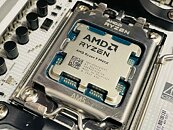
Source: ASRock
Add your own comment

52 Comments on ASRock BIOS 3.40 Improves CPU Stability and Reduces AM5 Burn Risk

#26
A Computer Guy
ChomiqMight be dependent on the board:
Yes usually one shouldn't go by or rely on the version between different motherboards. Instead go by the AGESA version instead when comparing between different motherboards. For Asrock there seems to be a greater correlation between motherboards in AM5 with their UEFI/BIOS versions but I wouldn't strictly rely on someone saying Asrock release xy.z version go update to that now. Instead check the UEFI/BIOS update for your specific motherboard page to be certain. I imagine it might have something to do with how they manage UEFI/BIOS updates across the product line as new AGESA's are released and it seems to be getting more homogeneous since AM4. It used to be more common version numbers could very greatly between motherboards.
Posted on Reply
#27
Quicks
More reason to skip AM5 and wait a bit longer for AM6.
Posted on Reply
#28
erixx
Nothing for now for the X870E Taichi/Lite.
Posted on Reply
#29
Erazor6000
I have been using the ASRock X870 Pro RS with 9950X3D since March, and everything is just fine.
Yesterday, I updated the X870 Pro RS with the latest 3.40 BIOS.

Is there credible evidence of the fault rate of 9000X3D CPUs with ASRock motherboards?
Just to remind you, there are still dead 9000X3D CPUs with MSI and Asus. And yes, if the CPU dies, you just receive a new one.
Posted on Reply
#31
Xajel
JustBenchingWhy would uneven pressure leave scorch marks on the cpu? Man, come on now. I've used cpus without coolers at all and they didn't melt. That's what temp protections are there for.
Oh man, reading this reminded me that I'm old.

When intel first implemented temp protection and throttling some intel-biased websites tested both intel and AMD without coolers just to promote that intel is better, even though if they tested the previous generation of intel the results will be same, they didn't mention anything in this regard, they just promoted that intel is just better because AMD's processor burnt badly :D

Oh, not to mention cooking eggs on intel CPUs :D
Posted on Reply
#32
BorisDG
Isn't the best solution to put/cap SoC voltage to 1.175V?
Posted on Reply
#33
vigor
erixxNothing for now for the X870E Taichi/Lite.
I have the Taichi and have no problems. It looks like the issues are on low end boards.
Posted on Reply
#34
BorisDG
I was reading around (mostly Reddit) and some people are mentioning/blaming specific CPU batches. Mine is CF 2516PGE.
Posted on Reply
#35
vigor
Ahh now they released 3.4 for X870E Taichi. Will have to do an update for my motherboard soon.
Posted on Reply
#36
AVATARAT
Today I am upgrading to BIOS version 3.40, everything seems fine so far, 9700x here.
Posted on Reply
#37
RJARRRPCGP
Is this CPU degradation, or is this a socket problem?
Posted on Reply
#38
A Computer Guy
A Computer GuyYes usually one shouldn't go by or rely on the version between different motherboards. Instead go by the AGESA version instead when comparing between different motherboards. For Asrock there seems to be a greater correlation between motherboards in AM5 with their UEFI/BIOS versions but I wouldn't strictly rely on someone saying Asrock release xy.z version go update to that now. Instead check the UEFI/BIOS update for your specific motherboard page to be certain. I imagine it might have something to do with how they manage UEFI/BIOS updates across the product line as new AGESA's are released and it seems to be getting more homogeneous since AM4. It used to be more common version numbers could very greatly between motherboards.
I was looking for UEFI updates recently for my motherboards and I just wanted to illustrate how it seems Asrock is moving toward normalizing their UEFI versions. Not sure why they care to do that but it seems even going back to AM4 (indicated in blue) they started normalizing the UEFI version numbers but not with all motherboards (as indicated in light blue).

Posted on Reply
#39
Chomiq
RJARRRPCGPIs this CPU degradation, or is this a socket problem?
Nobody knows. Especially ASRock.
Posted on Reply
#40
RJARRRPCGP
ChomiqNobody knows. Especially ASRock.
Even though I'm having good luck with B550 PG Velocita...
Posted on Reply
#41
Chomiq
RJARRRPCGPEven though I'm having good luck with B550 PG Velocita...
Well B550 isn't exactly AM5, right?
Posted on Reply
#42
RJARRRPCGP
ChomiqWell B550 isn't exactly AM5, right?
So, it looked like ASRock had excellent motherboards in the AM4 era. I haven't moved to AM5 yet. I dunno what I'm going to get, if I go the AM5 route.
Posted on Reply
#43
A Computer Guy
RJARRRPCGPSo, it looked like ASRock had excellent motherboards in the AM4 era. I haven't moved to AM5 yet. I dunno what I'm going to get, if I go the AM5 route.
I'd bet jumping from 5900x to 9900x would be a good noticeable improvement. For me jumping from 5950x to 7950x was pretty good. If you can wait out one more CPU gen AM5 might be a really rewarding jump with both CPU and hopefully more DDR5 improvements in speed and capacity.
ChomiqNobody knows. Especially ASRock.
This is what bothers me. Either they don't know, don't want to say, or are under NDA not to say. I would bet AMD CPU yields just aren't as good as people think they are and weak batches are going out the door. Perhaps just such an insignificant number in the economy of scale that AMD would rather handle the problem though RMA.
Posted on Reply
#44
RJARRRPCGP
A Computer Guyweak batches are going out the door.
I noticed that in the socket 462 days, the earlier T-breds were more likely to be weak batches, than the later ones!

I also suspect the same for the Vishera era!
Posted on Reply
#45
JohnsonUTPB
Rubbish... 98xxX3d might have the burn out problem fixed with BIOS 3.4; however, this BIOS is garbage.
I have the X870 Taichi Lite and 48GB Trident z5 neo (SK Hynix) and after updating:
JEDEC isn't even stable
XMP fails to boot (reducing UClck and MemClck to 3000 boots my 6400MT/sec as 6000; but even this lacks stability)
The Dr. Debug LEDs that normally show CPU temp (while booted)... show code 22 after some time
S3 wake-ups sometimes crash
I was going to wait for ASRock to release a proper fix; but, I think it might be in my best interest to see if I can return this board (still within 30 days)
I do not recommend this board...
Posted on Reply
#46
A Computer Guy
JohnsonUTPBRubbish... 98xxX3d might have the burn out problem fixed with BIOS 3.4; however, this BIOS is garbage.
I have the X870 Taichi Lite and 48GB Trident z5 neo (SK Hynix) and after updating:
JEDEC isn't even stable
XMP fails to boot (reducing UClck and MemClck to 3000 boots my 6400MT/sec as 6000; but even this lacks stability)
The Dr. Debug LEDs that normally show CPU temp (while booted)... show code 22 after some time
S3 wake-ups sometimes crash
I was going to wait for ASRock to release a proper fix; but, I think it might be in my best interest to see if I can return this board (still within 30 days)
I do not recommend this board...
Did you turn off TPM before flashing? I have a 96GB kit that wouldn't stabilize until after this update.
Posted on Reply
#47
AVATARAT
I use Factory Default, before bios update.
After a few days with BIOS 3.40, only the first attempt to set everything was very slow (it probably stuck) ~10 min. I reset it and I just use the profile (that I was saved) that configures things in 20-30 seconds and has been working so far.
Posted on Reply
#48
chrcoluk
I see no confirmation this bios fixes the said issue, but given we seem to be in a growing tread of companies refusing to acknowledge issues, or fixes to those issues, but then instead either do nothing about it or silently fix it, people have to flash and hope.
Posted on Reply
#49
JohnsonUTPB
IgbIt is 2025. Updating BIOS is not as risky as it used to, and there are more and cheaper alternatives to fix it. So I totally disagree with the following:

No, that is a mistake. If there is risk of degradation or burnt cpus do not wait for feedback and consider updating your BIOS ASAP if you have an asrock board.
It seems every ASROCK update I have had contradicts this statement; so,
Coming from a series of updates (In which each update has reduced my performance); CONSIDER selling this mb to somebody who knows not to use a 9000 CPU
Posted on Reply
#50
AVATARAT
JohnsonUTPBIt seems every ASROCK update I have had contradicts this statement; so,
Coming from a series of updates (In which each update has reduced my performance); CONSIDER selling this mb to somebody who knows not to use a 9000 CPU
How do you measure that?
JohnsonUTPBRubbish... 98xxX3d might have the burn out problem fixed with BIOS 3.4; however, this BIOS is garbage.
I have the X870 Taichi Lite and 48GB Trident z5 neo (SK Hynix) and after updating:
JEDEC isn't even stable
XMP fails to boot (reducing UClck and MemClck to 3000 boots my 6400MT/sec as 6000; but even this lacks stability)
The Dr. Debug LEDs that normally show CPU temp (while booted)... show code 22 after some time
S3 wake-ups sometimes crash
I was going to wait for ASRock to release a proper fix; but, I think it might be in my best interest to see if I can return this board (still within 30 days)
I do not recommend this board...
Okay, I missed that, sorry.
There are a lot of changes, so if it's XMP/Expo, that's bad
If you have timing tweaks, then you need to check the voltages.
But yeah, if you want to return it, go ahead.
Posted on Reply
Add your own comment
Nov 15th, 2026 22:53 CST change timezone

New Forum Posts

Popular Reviews

TPU on YouTube

Controversial News Posts