Friday, August 29th 2025

ASRock BIOS 3.40 Improves CPU Stability and Reduces AM5 Burn Risk
ASRock released BIOS version 3.40 for its AMD 800-series motherboards, presenting the update as a general stability and compatibility refresh for memory and CPU operation, while subtly addressing the AM5 socket burn issue. The release notes claim improved memory compatibility and system stability, as well as enhanced CPU operating stability, without explicitly mentioning socket or CPU burns. Reported differences include a fixed Load Line Calibration setting for the SoC at level 3, instead of Auto, and a default SoC voltage of around 1.20 volts, which lowers the likelihood of voltage spikes and sustained overvoltage. Those changes suggest that the new firmware will attempt to maintain operating parameters closer to conservative limits, which in turn would reduce stress on sensitive Ryzen 9000-series X3D processors that some users have found to be more susceptible to socket burning on certain boards.
AMD has previously blamed motherboard vendors and BIOS ODMs for this behavior, which suggests that motherboard vendors use ODM BIOS that do not adhere to AMD's official specifications. For ASRock motherboard owners, even if you are not experiencing unexplained instability, consider applying the update while following ASRock's official flashing instructions and backing up critical data. For users with already damaged processors, a BIOS update cannot reverse any hardware failure/burn, but 3.40 may reduce the chance of further incidents by enforcing safer defaults. We are monitoring user reports for the ASRock motherboard model to determine if this release effectively resolves the issue.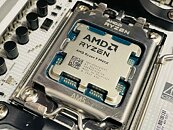
Source:
ASRock
AMD has previously blamed motherboard vendors and BIOS ODMs for this behavior, which suggests that motherboard vendors use ODM BIOS that do not adhere to AMD's official specifications. For ASRock motherboard owners, even if you are not experiencing unexplained instability, consider applying the update while following ASRock's official flashing instructions and backing up critical data. For users with already damaged processors, a BIOS update cannot reverse any hardware failure/burn, but 3.40 may reduce the chance of further incidents by enforcing safer defaults. We are monitoring user reports for the ASRock motherboard model to determine if this release effectively resolves the issue.

52 Comments on ASRock BIOS 3.40 Improves CPU Stability and Reduces AM5 Burn Risk
More wattage and voltage = more poooowaaaaa
So other than keep lowering default voltages I do not see what else they could do considering the problem is hard to reproduce as it only affects a small percentage of cpu's.
- Auto
- Enabled
- Disabled
and "Auto" is in fact "Disabled", then there's no reason for Auto to be there.
Even doing basic research on AM5 boards triggered some warning for me when I saw reddit reports, meanwhile some reviewers and YT folks were not worried about recommending them to users. This latest update just shows that ASRock can't really reproduce the issue correctly in house and is trying different options once they see new burnt CPUs pop up.
Keeping stuff at default is bad. EXPO puts for my MSI board worse values with default. Should be similar to my ASUS board which is lying around. By just entering 6000 MT/s for the DRAM (or better) you may have already set automatically recommended values in "auto" or the suggested fields which are bad - regardless of the motherboard.
I think the lowest LCC is still 0 and not 3. Some sort of adaptive Voltage Curves what i remember from my AM4 and AM5 motherboards
When the DRAM does not run the user will cry and blame the motherboard. It's the users fault when he is unable to set 3 fields properly in the uefi. I see such posts quite often. The easiest way out is to just increase the voltage and that's it. May work. May work over the 2 years warranty period. Problem solved in most cases. Same stuff with the -30 CO, curve optimiser settings, which many say it works. I think it points out to far too high base values in the motherboard.
The gist of it is you have 800-series board from ASRock - update your bios.
TechHardware/comments/1n2egjv/gmp_tests_fries_ryzen_9_9950x_zen5_cpu_twice
These are asus mobos.
At the end of the day it's all covered by warranty so you'll get your stuff replaced but I'd avoid Asrock for peace of mind (and probably asus?)
I monitor that asrock thread on reddit and I will sometimes go in and ask questions.
I asked someone if they had manually set their vsoc on the board and the response was what is that?
You then also have guys that have no clue what they are doing and following overclocking guides on youtube and using Scaler x10 etc.The numbers are basically 10x higher on Asrock compared to the other vendors boards.
I think you need to try harder.