Tuesday, May 12th 2026

Microsoft's Windows 11 UI Is About to Get Much More Responsive

Microsoft is updating the native Windows user interface to create more responsive Windows 11 UI elements through the Windows K2 initiative. The company is transitioning its core Windows 11 elements from third-party frameworks to the Windows-native WinUI 3. In a recent GitHub post by Microsoft engineer Beth Pan, it's clear that Microsoft is making changes even within the WinUI 3 framework itself, demonstrating significant improvements in application launches. The company is using File Explorer and Notepad as benchmarks for performance improvements, as these core apps require much better responsiveness. With the latest set of patches arriving soon, File Explorer will have much less background work to do before launching, meaning that the launch should feel nearly instant.

For example, the latest WinUI 3 patches enable 41% fewer allocations, 63% fewer transient allocations, 45% fewer function calls, and 25% less time spent in the WinUI code powering the framework. This means that the upcoming File Explorer patch should feel noticeably faster with the updated framework, delivering on a promise to make the Windows 11 user interface a much smoother experience. As these changes are expected to be integrated into the WinAppSDK 2.x soon, we should see them arrive in the operating system in the coming weeks. Some changes are still too risky to implement in such a large piece of software, so users will need to wait a bit longer in case the testing encounters issues.
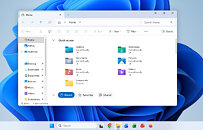
Currently, Windows 11 is a mix of legacy Microsoft frameworks for the user interface. This jumble of UIs has led to a lot of inconsistency, with daily operations encountering non-uniform interfaces carried over from the Windows 7 era. This mix includes web-based WebView2, React, and others. Microsoft plans to transition its entire user experience to the desktop-only WinUI 3 framework, which will reduce application latency, improve user experience, and make it feel noticeably smoother. All of this fine-tuning is being done alongside the "Low Latency Profile," which boosts the CPU frequency to its maximum state for 1-3 seconds to open applications faster and make the OS feel much smoother overall.
Sources: Microsoft on GitHub, via Windows Central
Add your own comment

98 Comments on Microsoft's Windows 11 UI Is About to Get Much More Responsive

#1
T4C Fantasy
CPU & GPU DB Maintainer
I'm looking forward to seeing this change, I use windows 11 daily and there is a lot to complain about, but things in my use case seems to be getting more stable and with less crashes.

i used to have memory leak issues and long game session issues (300 hours non-stop) that seemed to have magically fixed itself with latest patches.
Posted on Reply
#2
ymdhis
You know Windows is bad when they need to get Notepad benchmarked for starting up faster. I had to boot up a Windows 95 laptop running on a 233MHz Pentium MMX + 32MB EDO RAM last week, and even that was snappier than Windows 11.
Posted on Reply
#3
ARF
The sooner they retire the failed Windows 11, the better.
Windows 11 is the worst Windows OS in history - worse than Vista and 8..
Posted on Reply
#4
bonehead123
Sooo....

They're finally fixing all the garbaggio BS that SHOULD have been fixed well before W11 was ever released ?

Gee, imagine that :D

And some folks question why some folks refer to them as MicroSlop.....
Posted on Reply
#5
TheDeeGee
So right clicking on a file will open it instantly instead of a 3 seconds delay?
Posted on Reply
#6
MTS-C
When are we getting native NVMe back?
Posted on Reply
#7
lexluthermiester
This is another "we shall see" kind of thing. However, I'm not touching any of this until 26H2, maybe even 27H2, depending on certain things...
Posted on Reply
#8
T4C Fantasy
CPU & GPU DB Maintainer
lexluthermiesterThis is another "we shall see" kind of thing. However, I'm not touching any of this until 26H2, maybe even 27H2, depending on certain things...
I hope this comes out soon, in my case this is great, I work from home I game and code daily, I use notepad often and paint so im actually quite excited.
Posted on Reply
#9
Hoak
They aren't 'fixing' anything, look at what they're actually saying: "...the latest WinUI 3 patches enable 41% fewer allocations, 63% fewer transient allocations, 45% fewer function calls, and 25% less time spent in the WinUI code powering the framework."... That's like saying "63% less morbid obesity after death, is better death, and 25% less poop in your mouth is better tasting poop."... Come on!

Microsoft has had a Monopoly for too long. one that a lot of people people depend on for too much. Microsoft cheats, steals, lies and lies a lot. Even where and when it's not lying Microsoft has admitted to a vested interest in exploiting you and your data materially and financially, and making you the principal liability for Microsoft's actions and malfeasance. While Microsoft has made some progress with Windows 11 as an OS, that progress is very superficial and overwhelmed in terms of opportunity cost as far performance, stability, security, and privacy because Microsoft is aggressively pursuing goals that have nothing to do with producing an Operating System.... Zero...

This isn't hyperbola; Microsoft's agentic AI, telemetry, and various industrial spyware components & sub-systems, browser integration, and 'Experiences ™' (i.e. features without benefits) -- consume more system resources, i/o, and bandwidth than the Operating System itself and in many cases than the applications a User may choose to run. That Windows native applications and games, can run faster on Linux than Windows 11 under emulation and through compatibility layers should make it clear just how egregiously bad this is. Not just really bad -- it's a f**king obnoxious insult.

Most any other business run this way except for banking would have it's principles in prison.
Posted on Reply
#10
lexluthermiester
HoakThey aren't 'fixing' anything, look at what they're actually saying: "...the latest WinUI 3 patches enable 41% fewer allocations, 63% fewer transient allocations, 45% fewer function calls, and 25% less time spent in the WinUI code powering the framework."... That's like saying 63% less morbid obesity after death, is better death...
You contradicted your own statement. How can we take the rest of your comment seriously?
HoakMost any other business run this way except for banking would have it's principles in prison.
Except this, THAT is true.
Posted on Reply
#11
n9nu
[JUSTIFY]Hehe...

Windows 11 the worst OS in MS's history? Performance?

I think I can top that with Windows Me [Millennium]. Windows 10 for most is snappier according to various gamers experiences versus Windows 11.

Comparing Win Me & Win 11 is a bit unfair as there was no AI involved with the Me platform however.

Excerpt from Win Me Wiki page:

"As time went on, reception of Windows Me became more negative, to the point where it was heavily panned by users, mainly due to stability issues. Retrospectively, Windows Me is viewed as one of the worst operating systems of all time, being unfavorably compared to its immediate predecessor and successor.[8][9][10] A PC World article dubbed Windows Me the "Mistake Edition" and placed it 4th in their "Worst Tech Products of All Time" feature in 2006. The article states: "Shortly after Me appeared in late 2000, users reported problems installing it, getting it to run, getting it to work with other hardware or software, and getting it to stop running."[9] Consequently, most home users remained with Windows 98, while some moved to Windows 2000 despite the latter being enterprise-oriented. In the Netherlands, Windows Me was infamously known as "Windows Meer Ellende" (Dutch for "more misery").[67][68]"


Tim
ARS N9NU[/JUSTIFY]
Posted on Reply
#12
Hoak
lexluthermiesterYou contradicted your own statement. How can we take the rest of your comment seriously?
I have not contradicted any statement I made -- if you honestly think so, and aren't just trolling; show your work...
Posted on Reply
#13
silentbogo
What a time to live in... Explorer and Notepad startup times are the new PCMark.
I'm glad I've migrated to Totalcmd and Notepad++ many-many years ago and barely ever use Explorer/notepad anymore (except on client's computers, where there is no choice).
Paint went the way of the dodo since Win10 and never got "better", which made me move to Paint.NET.
AleksandarKThe company is transitioning its core Windows 11 elements from third-party frameworks to the Windows-native WinUI 3
Pretty sure thrid-party frameworks aren't the issue, only their previous frameworks that weren't doing the job, and of course adding lots of bloat didn't help either.
WPF was supposed to be the end of it all, then UWP, now WinUI3/WinRT... While it looks interesting and definitely an upgrade over UWP, I don't think it'll fix anything.... or last longer than its predecessors.
Posted on Reply
#14
Aleksandar_038
Oh, no, no, no, I was there since day one of Windows 10. It was piece of junk, unstable, buggy and slow as hell comapred to Windows 8.1.

Yes, Microslop shoot themselves in foot with disabling standard Start Menu on Windows 8, but at least Windows 8 kept basics good.

Windows 10 destroyed that - UWP apps and Spartan Edge were USELESS in first year.

Of course, typical Microslop - once they became good, they abandoned it and we received this abnomination that use React for basic Windows shell.

Fact that they decided to do it only now just shows how much they do not care for user experience at all.

Of course, Win11 now have several tools that allows UI to be adjusted greatly, and even seriously improved compared to previous ones: Windhawk (great mods to make taskbar ACTUALLY USEFUL), PowerToys Dock (fantastic addition and somethign that should be part of Windows by default), Fluent Flyouts and several others.

I assume that with transfer to WinUI all those tools will became obsolete, and all customization gone - but hey, at least perfomance will be better. Hopefully... or not :)
silentbogoWhat a time to live in... Explorer and Notepad startup times are the new PCMark.
I'm glad I've migrated to Totalcmd and Notepad++ many-many years ago and barely ever use Explorer/notepad anymore (except on client's computers, where there is no choice).
Actually, new Notepad is excellent and I really do not know why it gets so much hate. Explorer is, on the other side, very, very sad story.
silentbogoPretty sure thrid-party frameworks aren't the issue, only their previous frameworks that weren't doing the job, and of course adding lots of bloat didn't help either.
Of course they are issue - you don't design basic UI elements (like StartMenu) using React. No matter how powerful computers become...
silentbogoWPF was supposed to be the end of it all, then UWP, now WinUI3/WinRT... While it looks interesting and definitely an upgrade over UWP, I don't think it'll fix anything.... or last longer than its predecessors.
Each of them would be end of it all, only if Microsoft management had patience and guts to let programmers do their job for some time, instead of constantly switching people, teams and priorities left and right. It was ALWAYS management issue.
Posted on Reply
#15
lexluthermiester
n9nuWindows 11 the worst OS in MS's history?
No. Windows 8 wears that crown.
n9nuPerformance?
On par with Windows 10 and only slightly slower than Windows 7.
n9nuWindows 10 for most is snappier according to various gamers experiences versus Windows 11.
Moose Muffins! I have tested Windows 11 vs 10 vs 7 a number of times. The differences are small and/or statistically insignificant.
Posted on Reply
#16
Shrek
Faster NVMe, faster launch... I think the difference will be noticeable.
Posted on Reply
#17
lexluthermiester
ShrekFaster NVME, faster launch... I think the difference will be noticeable.
That could be a thing. We have to wonder how much of a thing though.
Posted on Reply
#18
Aleksandar_038
lexluthermiesterMoose Muffins! I have tested Windows 11 VS 10 VS 7 a number of times. The differences are small and/or statistically insignificant.
I think that idea of Win 11 being slower comes not from app performance in Win11 - including gaming - whihc is indeed on Win 10 level, but from general lag in user interfaces - Start Menu, Taskbar, Windows Explorer - they all get laggy more or less, regularly. Because Microslop, in all its wisdom, took shortcut and used multiple web tools and integrated them into UI, instead of doing in properly.

If you use some proper Explorer replacer (TotalCmd, OneCommander) you see that everything works quite well, even OneDrive works very fine - it is just that Windows Explorer is broken now...
Posted on Reply
#19
lexluthermiester
Aleksandar_038I think that idea of Win 11 being slower comes not from app performance in Win11 - including gaming - whihc is indeed on Win 10 level, but from general lag in user interfaces - Start Menu, Taskbar, Windows Explorer - they all get laggy more or less, regularly. Because Microslop, in all its wisdom, took shortcut and used multiple web tools and integrated them into UI, instead of doing in properly.

If you use some proper Explorer replacer (TotalCmd, OneCommander) you see that everything works quite well, even OneDrive works very fine - it is just that Windows Explorer is broken now...
Here's the problem with that logic: Using Windows in a stock, as presented by microsoft, form. The moment one debloats and slims down Windows(7, 10 OR 11), all of the sluggishness people have been complaining about magically goes away. I have NEVER used Windows in it's stock form(except for testing, but that doesn't count for daily driving). While I have a few file manager replacements, Windows Explorer just does not give me the issues many people are complaining about.
Posted on Reply
#20
Darmok N Jalad
I think the sad part here is that Windows 11’s UI can even realize these kinds of performance gains. Think about this, Windows 7 didn’t have these problems, and it harkens back to single core CPUs, substantially slower RAM, and vastly slower storage, including spinning rust. With Windows 11, MS saw powerful PC hardware and cheap RAM and threw efficiency out the door. Instead, they slapped on extra layers of resource wasting software. I don’t know that I can give them credit for this work, other than saying “it’s about time.”
Posted on Reply
#21
ymdhis
n9nu[JUSTIFY]Hehe...

Windows 11 the worst OS in MS's history? Performance?

I think I can top that with Windows Me [Millennium]. Windows 10 for most is snappier according to various gamers experiences versus Windows 11.

Comparing Win Me & Win 11 is a bit unfair as there was no AI involved with the Me platform however.

Excerpt from Win Me Wiki page:

"As time went on, reception of Windows Me became more negative, to the point where it was heavily panned by users, mainly due to stability issues. Retrospectively, Windows Me is viewed as one of the worst operating systems of all time, being unfavorably compared to its immediate predecessor and successor.[8][9][10] A PC World article dubbed Windows Me the "Mistake Edition" and placed it 4th in their "Worst Tech Products of All Time" feature in 2006. The article states: "Shortly after Me appeared in late 2000, users reported problems installing it, getting it to run, getting it to work with other hardware or software, and getting it to stop running."[9] Consequently, most home users remained with Windows 98, while some moved to Windows 2000 despite the latter being enterprise-oriented. In the Netherlands, Windows Me was infamously known as "Windows Meer Ellende" (Dutch for "more misery").[67][68]"


Tim
ARS N9NU[/JUSTIFY]
Windows ME was considered as good as 98SE when it came out by people who used it, outside of the worse DOS compatibility. It's in 2001 when XP came out and was ten times more stable than the entire 95/98/Me line, that's when people started considering it bad. 95 had far worse initial reception.
Posted on Reply
#22
lexluthermiester
ymdhisWindows ME was considered as good as 98SE when it came out by people who used it, outside of the worse DOS compatibility.
This. WinME was great if you didn't need the DOS real-mode. More stable than 98SE.
Posted on Reply
#23
ymdhis
lexluthermiesterHere's the problem with that logic: Using Windows in a stock, as presented by microsoft, form. The moment one debloats and slims down Windows(7, 10 OR 11), all of the sluggishness people have been complaining about magically goes away. I have NEVER used Windows in it's stock form. While I have a few file manager replacements, Windows Explorer just does not give me the issues many people are complaining about.
Which is not much of an argument, Windows 7 and 8 ran really snappy on a vanilla install, unlike 10 and 11. Why can't 10 and 11 run that good too? No, seriously, install Windows 8 or 8.1, it'll run so smooth you'll be surprised if you came from 10 or 11.
Posted on Reply
#24
lexluthermiester
ymdhisWindows 7 and 8 ran really snappy on a vanilla install
Mostly true. There was still a bit of unwanted stuff that I would consider bloat. Win 8 more than 7. Even XP had some bloat.
ymdhisNo, seriously, install Windows 8 or 8.1, it'll run so smooth you'll be surprised if you came from 10 or 11.
I have. In years past I was a part of a group that worked to make Windows 8/8.1 work more like Windows 7. I know 8 very well. Windows 11, properly debloated, runs very well indeed, on par with Windows 7.
Posted on Reply
#25
wheresmycar
The company is using File Explorer and Notepad as benchmarks for performance improvements, as these core apps require much better responsiveness.
I get why people are cracking up at the benchmark tools (/apps) but oddly enough since moving to Win 11, it was the File Explorer, Notepad and the Edge browser which instantly felt less responsive. Those first impressions stuck and as such the OS just felt a little sluggish/bloated. If MS is reducing background work before launching apps for a snappier experience, I'm all for it - I use those apps 24/7 and could do with a snappier and refreshing touch up (providing they don't break something else in the process).

An even better feature would be a stripped "Lite" mode with a garage sale of options to manually configure stuff. Basically a "build your own Windows" sort of thing rather than a "hi, heres your 1000 background services and whatnot bloat".
Posted on Reply
Add your own comment
Nov 26th, 2026 23:07 CST change timezone

New Forum Posts

Popular Reviews

TPU on YouTube

Controversial News Posts