Friday, July 24th 2026

Gigabyte Breaks the DDR5 Bottleneck: Full Motherboard Lineup Now Supports CXSH (CXMT) Memory
Gigabyte Technology Co. Ltd, a leading manufacturer of motherboards, graphics cards, and hardware solutions, today announced that its full lineup of DDR5 motherboards now supports CXSH (CXMT) chip-based memory, giving consumers more options and greater availability amid an ongoing industry-wide memory shortage. The BIOS optimization enables AM5 800/ 600 series motherboards to run CXSH (CXMT) chip-based memory stably at 8200 MT/s, while Intel 800/ 700 series platforms support CXSH (CXMT) chip-based memory out of the box.
Following AMD's release of AGESA 1.3.0.1c and Gigabyte's own memory optimization technology, AM5 motherboards across both the 800 series and 600 series now support CXSH (CXMT) chip-based memory, including 16 Gb and 24 Gb densities. With this update, Gigabyte AM5 motherboards can now stably run these DIMMs at speeds of up to 8200 MT/s, breaking the previous AM5 platform limitation and giving builders more performance headroom on AMD's platform. Meanwhile, Gigabyte's Intel 800 and 700 series motherboards already support CXSH (CXMT) chip-based memory through their current shipping BIOS, with no additional update required.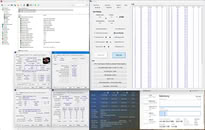 The DDR5 memory market has faced tight supply and rising prices in recent months, and CXSH (CXMT) chip-based memory offers a welcome additional source of supply for consumers. In response, Gigabyte added support for CXSH (CXMT) chip-based memory to expand compatibility and give consumers more flexibility when sourcing memory for their systems.
Gigabyte remains committed to working closely with memory and platform partners to ensure the broadest possible compatibility across its motherboard lineup, helping consumers build high-performance systems despite ongoing market constraints.
Source:
Gigabyte
Following AMD's release of AGESA 1.3.0.1c and Gigabyte's own memory optimization technology, AM5 motherboards across both the 800 series and 600 series now support CXSH (CXMT) chip-based memory, including 16 Gb and 24 Gb densities. With this update, Gigabyte AM5 motherboards can now stably run these DIMMs at speeds of up to 8200 MT/s, breaking the previous AM5 platform limitation and giving builders more performance headroom on AMD's platform. Meanwhile, Gigabyte's Intel 800 and 700 series motherboards already support CXSH (CXMT) chip-based memory through their current shipping BIOS, with no additional update required.

Gigabyte remains committed to working closely with memory and platform partners to ensure the broadest possible compatibility across its motherboard lineup, helping consumers build high-performance systems despite ongoing market constraints.
- AMD 800 and 600 series motherboards: Updated BIOS supporting CXSH (CXMT) chip-based memory is now available for download on the product website.
- Intel 800 and 700 series motherboards: CXSH (CXMT) chip-based memory support is already included in current shipping BIOS—no update required.
13 Comments on Gigabyte Breaks the DDR5 Bottleneck: Full Motherboard Lineup Now Supports CXSH (CXMT) Memory
Are those DRAM not DDR5 compatible or is this just the useless default profies. Does this Chinese company not use proper expo profiles? something does not make any sense.
expo should define most of the DDR5 value. DDR5 should boot after any CMOS reset on any motherboard with the safe default values. I read it that way that gigglebyte can not boot DDR5 dram when there is no base profile in the Flash EEPROM for the uefi, sometimes wrongly named BIOS.
Asus have RMA issues + their software is dangerous for network safety + they are burning AM5 CPUs, that is why you shouldn't buy their motherboards
Asrock AM5 motherboards kills CPUs, probably more often than Asus, that is why you shouldn't buy their motherboards
MSI have shady review practises + their prebuilds are crapier than Gigabyte PSUs, , that is why you shouldn't buy their motherboards
So what motherboard should I buy?
I always knew that Biostar is the only one solid choice :D
My fleet of Gigabyte boards for the haters.
Regards,
Fred.
Many of my coworkers who have a high end PC never buy Gigabyte for that reason.Let's call it "commie red".
docs.google.com/spreadsheets/d/1NQHkDEcgDPm34Mns3C93K6SJoBnua-x9O-y_6hv8sPs/edit?gid=446857487#gid=446857487
Yes -> Step 2 -> Did it get proper firmware -> watch over several months.
docs.google.com/spreadsheets/d/12zg6yT_H7H-W1voyw1ZoIrj0GSE7WI4Ug-uLlv-Asa8/edit?gid=937453961#gid=937453961
In my biased view, what i remember, what i did not write down.
e.g. my asus prime etc. asus prime and tuf gets much later a uefi update
Avoid anything which is ASUS Prime and TUF.
Avoid anything which has not visual passive cooler only for all the cpu related power regulation. if it has a fan, avoid it. if the motherboard has a fan, avoid it.
I learned it the wrong way.
I wanted to test something else and bought after two MSI, one ASUS, than a MSI. The asus is lying around for 15 months because the asus prime x670-p is dell grade. asus did not reveal for more than 4 weeks an uefi update, although a massive security breach CVE was known. Fact. that was the reason i had to replace it with some other issues.
MSI X670E gaming plus wifi does clock higher, but has firmware issues in regards of the post screen and initialisation to keep it short.
A fact is, i put a reset switch next to my usb high end sound card. when the motherboard does not wake up fast enough, indicated by the usb device, keyboard light, monitor etc i use instantly the reset button. than the msi motherboard boots faster. also when the screen does not initalisie because two monitors are too much for the acer graphic card + that msi motherboard. that msi motherboard had before problems with the asus graphic card.
--
I can not recommend a brand. The least problematic brand and high performance is msi for my personal choice. ASROCK / Biostar / NZXT = ASROCK / Sapphire = not sure .. is it ASROCK sell too few boards or have problems over the time with dead cpus, etc.
It seems the most common choice are MSI and ASUS for AM5 and AM4. ASUS especially the high end Strix etc. series. If I would be willing to spend in the 350€ range I may consider teh asus strix series.The memory controller is in the am5 cpu.
What i saw MSI X670E clocks better than ASUS X670. A bit is related to the motherboard but a lot is related to the firmware and cpu.
--
I did not update my uefi. My motherboard seems also to have gotten that "chinese based" memory stuff. when i remember that company names properly i will name them in future. I assume it is only chinese memory related changes, maybe just some default profiles or the hidden values have got added which may be not stored in the expo memory profile.
msi reveals itself with
- AGESA PI-1.3.0.1b Patch A updated.
i claim / can not proof ... it is still agesa 1.3.0.1 with just changes for the ryzen 9000 memory encryption and chinese memory profiles
www.msi.com/Motherboard/X670E-GAMING-PLUS-WIFI/support