Thursday, September 10th 2026

Undervolted NVIDIA RTX 4090 Gets Identical DLSS 5 Frame Rates with 47 W Lower Power Draw
With the ongoing issues seemingly related to the now-ubiquitous 12V-2×6 connectors melting from high power draw—seemingly made worse by power spikes caused by NVIDIA's DLSS 5—it seems prudent to find ways to reduce GPU power draw as much as possible, and one Redditor has conducted testing to prove it's possible to do so without affecting DLSS 5 performance.
In their testing, u/om_the_best found that undervolting an NVIDIA GeForce RTX 4090 managed to reduce power draw by as much as 47 W while maintaining the same FPS and image quality using DLSS 5. According to the modder, the undervolt "can allow you to use DLSS 5 while keeping power consumption roughly the same as when running without DLSS 5 and without an undervolt."
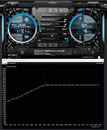 In the test results, using Hogwarts Legacy, the redditor shows their RTX 4090 running at 925 mV and 2,595 MHz base clock—every individual production unit of a GPU will be slightly different in terms of the undervolt that can be achieved. With the undervolt enabled, the GPU ran at power levels anywhere between 36 and 75 W lower, with DLSS and MFG 4X running at 47 W lower power levels, with identical frame rates with and without undervolting. While it's difficult to judge actual image quality changes in gaming from the limited screenshots shared in the original post, it seems as though there are no major changes to the results of DLSS 5, as is the poster's claim.
Source:
u/om_the_best on Reddit
In their testing, u/om_the_best found that undervolting an NVIDIA GeForce RTX 4090 managed to reduce power draw by as much as 47 W while maintaining the same FPS and image quality using DLSS 5. According to the modder, the undervolt "can allow you to use DLSS 5 while keeping power consumption roughly the same as when running without DLSS 5 and without an undervolt."


- DLSS 5 off, MFG 4X, no undervolt: 386 W / 360 FPS
- DLSS 5 off, MFG 4X, undervolted: 311 W / 355 FPS (-75 W)
- DLSS 5 on, MFG 4X, no undervolt: 435 W / 175 FPS
- DLSS 5 on, MFG 4X, undervolted: 388 W / 175 FPS (-47 W)
- DLSS 5 on, MFG off, no undervolt: 426 W / 51 FPS
- DLSS 5 on, MFG off, undervolted: 387 W / 52 FPS (-49 W)
12 Comments on Undervolted NVIDIA RTX 4090 Gets Identical DLSS 5 Frame Rates with 47 W Lower Power Draw
I'm not surprised at all that DLSS5 which at least initially, if not still, was Furmark-like, benefits.
Undervolting can also help the GPUs with weaker cooler designs to keep the at least bit cooler and quieter.
My 5070 ran at stock settings for maybe 1-2 day until I've made sure that everything works fine and then I've dialed in my undervolt and OC profiles and thats how I've been using it ever since depending on the game I'm playing. 'I'm usually using the stock clock+undervolt for the best efficiency when the extra few frames from the OC profile is not needed'
Enabling DLSS 5 does increase my card's power draw for sure but its still a non issue in my case, I can hardly push my 5070 past the 200W mark in the worst cases.
And to add further, who would have thought that there's a spot on freq/voltage curve called "sweet spot" which yields best efficiency. This must be some sort of magic.
Still, that 47W will not save the connector from possibility of melting, as even 330-360W Radeons EX 9070 XT have melted.
A rx 9070xt with a loss of mere 3-5% performance can be ran at 220-230W when undervolted and slightly underclocked.
The RTX 4090 could run at 90-92% performance at 250-270W iirc.
The Ryzen 7 7700 non-X consumes half(50%) the power of the Ryzen 7 7700x and is only 5% slower.
When voltage (mV) increases in a GPU, power consumption and heat increase quadratically (by the square of the voltage change)
If you increase the voltage while keeping the GPU clock frequency identical, the multiplier for the wattage increase is calculated as: Power Multiplier= (New Voltage/Old Voltage)^2
- 5% voltage increase= 1.10x dynamic power and heat increase (~10% more heat).
- 10% voltage increase= 1.21x dynamic power and heat increase (~21% more heat).
- 20% voltage increase= 1.44x dynamic power and heat increase (~44% more heat).
In real-world scenarios, increasing millivolts (mV) is almost always done to stabilize higher clock frequencies (\(f\)). When you increase both voltage and frequency together, the power and heat increase becomes closer to a cubic relationship (V^3)