Tuesday, March 17th 2026

RPCS3 Adds Support for Steam Library Integration in Latest Update
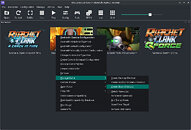
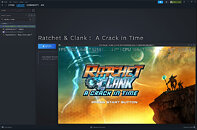
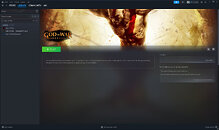
RPCS3, the multi-platform, open-source PlayStation 3 emulator that recently announced support for 70% of the PlayStation 3 game library, has just added a UX workflow to automatically add emulated games to your Steam library. This effectively works the same way as adding a third-party game to your Steam library from Steam, but it eliminates the extra step of opening Steam and manually adding the game launcher to your Steam library. Games added this way will automatically add the game's PS3 art included with the game files in the emulator, to boot.
It's a small UI change, in the grand scheme of things, but it should help simplify game emulation and make it easier for gamers to play their emulated games via RPCS3. Being able to add third-party games to a game library is a nigh-essential feature that even Microsoft recently added to the Xbox App for Windows. RPCS3 adopting support for seamless Steam library integration could effectively let Linux and SteamOS players go from cold boot to playing a game all from a controller using Steam Big Picture mode—no keyboard or mouse necessary.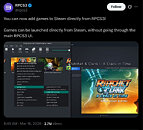
Source:
RPCS3 on X
It's a small UI change, in the grand scheme of things, but it should help simplify game emulation and make it easier for gamers to play their emulated games via RPCS3. Being able to add third-party games to a game library is a nigh-essential feature that even Microsoft recently added to the Xbox App for Windows. RPCS3 adopting support for seamless Steam library integration could effectively let Linux and SteamOS players go from cold boot to playing a game all from a controller using Steam Big Picture mode—no keyboard or mouse necessary.


6 Comments on RPCS3 Adds Support for Steam Library Integration in Latest Update
It's dumb but Sony is gonna feel like they're getting poked in the nose at some point.
You could actually do the same thing already by adding RPCS3 as a non-steam game with a couple of launch options to make it load a particular game. This just automates the process :)
EDIT: As an example, here's Demon's Souls on my Legion Go S running SteamOS