Wednesday, April 15th 2026

Gamers Will Cut RAM Before Settling for SSDs Smaller Than 512 GB, Lexar Says
During a media tour at Lexar HQ in China, Digital Foundry spoke with Lexar's Europe General Manager, Grace Su, who explained what gamers are buying and where they are willing to compromise. Interestingly, Lexar found that, despite the pricing of DRAM and NAND Flash, users could purchase lower-capacity RAM kits without issues, while SSDs with capacities lower than 512 GB weren't selling well. Although this is not a direct comparison, when building a new PC system, you need both a RAM kit and an SSD. Based on their budget, enthusiasts often have to decide between a larger SSD or a bigger RAM kit. However, Lexar reports that users are so committed to having larger SSD space that they are even willing to revert to HDDs rather than buy an SSD smaller than 512 GB. This is understandable, considering that modern games can take up hundreds of gigabytes of space.
Currently, high RAM prices are driving PC gamers to invest considerably more in their gaming rigs to play smoothly. As 16 GB is somewhat considered the minimum for a Windows 11 system, some games and tasks are so demanding that PC DIY enthusiasts need to invest in 32 GB kits at prices that were unimaginable just a year ago. For example, we reported on the DDR4 spot market pricing, which saw the cost of a single 16 Gb module increase by about 2,200% over the past year, with only a minor 5% correction in March. We can only hope for more corrections soon so that PC gamers can finally see signs of relief, but with AI demand projected to continue rising, that seems far from reality.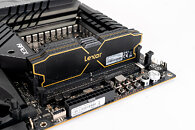
Source:
Digital Foundry
Currently, high RAM prices are driving PC gamers to invest considerably more in their gaming rigs to play smoothly. As 16 GB is somewhat considered the minimum for a Windows 11 system, some games and tasks are so demanding that PC DIY enthusiasts need to invest in 32 GB kits at prices that were unimaginable just a year ago. For example, we reported on the DDR4 spot market pricing, which saw the cost of a single 16 Gb module increase by about 2,200% over the past year, with only a minor 5% correction in March. We can only hope for more corrections soon so that PC gamers can finally see signs of relief, but with AI demand projected to continue rising, that seems far from reality.

39 Comments on Gamers Will Cut RAM Before Settling for SSDs Smaller Than 512 GB, Lexar Says
a large fast hdd could be a better option than a small slow ssd (relatively speaking) for games
Social manipulation is such a fine art.
But since the greed is the driver of all Capitalist economies...
We can say that they have finally made an inexorable march of progress that has been going on in personal computers since 1970' more... Exorable.
Fastest HDD are a joke at ~250MB/s (sequential) and large HDD's are prohibitively expensive.
You're always better off using even decade old SATA SSD for gaming compared to any HDD.
This is becoming a problem when I need to update something like Destiny 2, Once Human, Marvel Rivals or The Finals.
My main storage has looked something like this all week:
I'm not concerned about SSD availability becoming scarce any time soon.
In fact, my main issue is nothing that 500GB drives in RAID0 couldn't fix.
Soon™...
Yes, when I copy data, it's just 250MB/s.
SSD users could use various caching programs with RAM caching too.
But considering RAM prices that's a very expensive way to up your performance unless you already have a surplus on RAM bought before Oct 2025, installed.
Storage still holds the edge in capacity. Fast storage drive is pretty much anything SSD unless it's a low capacity DRAM less QLC because these can sometimes be slower than a HDD.
I was lucky enough to have bought my drives when storage was cheap. 14TB HDD reserved for video archive (35% free). 1TB SSD for OS (82% free). 2TB SSD for general data (39% free) and 4TB SSD for games (52% free). All PCIe 4.0 speeds and TLC with DRAM cache with the exception of the HDD.
Frankly i think 4TB SSD for games is more than enough for me. No need to use HDD and cache programs to make some sort of tiered system.
For Linux, 32 GB would probably be enough as well, because Zram is simply part of the OS and there's no need to reserve memory like in Windows, but there are other drawbacks, such as a slight drop in FPS and the lack of VR support in KDE Wayland.
ntfs is a big space waste and outdated, ext4 is as worse.
i changed my file system from gpt - lvm2 - luks - ext4 to gpt - lvm2 - luks - btrfs zstd with compression rates between 3 to 15.
i make my backups in gpt - lvm2 - luks - ext4. my root file system which i backup needs in ext4 a 25% bigger container. I started with 10 to 15% bigger. sometimes i had to recreate the container and copy again.
I see more the issue in the file system and the lack to merge similar data. when i delete a kernel.org source the differences are kinda small with gpt - lvm2 - luks - btrfs zstd with compression rates between 3 to 15. those kernel sources are usually around 1gb. with ext4 i saw big differences in df (disk free) when i cleaned up the kernel sources. the differences are small but they occupy wiht a bad file system too big data, e.g. ext4 file system
a kernel update, the difference sometimes is around 1mb. afaik what i remember from last time. except the big bump 7.0.0 is available as of now.
synology nas company motivated me to convert and test btrfs.
i do not see any impact in using zstd 3, 5 or 15 compression in my daily usage. btrfs with zstd15 is much faster on a hdd than ext4. especially with caja.
But SATA SSDs just aren't any cheaper than M.2 NVMes...
Which are harder to add/change:
Instead of just adding drive into case and attaching cables, you need now often remove some marketing BS covers and possibly also graphics card to access M.2 slot.
And if it's OS drive, change is significantly harder than for RAM, which you just pop out and put new in, and after boot you have added capacity in use.There are no fast HDDS.
Compared to SSDs all HDDs are dog slow in responsiveness.
At minimum would use SSD caching like PrimoCache to speed up loading times of recently used games.
And against NVMes they're also slow in sequential transfer rates. (unless comparing to sustained writes to QLC)
A WD sn850x is $1000 ish here now not including the 13% tax!!