Wednesday, October 1st 2025

Microsoft Releases Windows 11 25H2... With Zero New Features?
Microsoft has officially released Windows 11 version 25H2 after months of testing and previews. Delivered as a lightweight enablement package (eKB), 25H2 update is not a complete OS replacement but a light switch that turns on feature code already present on machines running 24H2. Microsoft stages new features inside regular cumulative updates in a disabled state. When the eKB is installed, it flips those flags, and a single restart activates the features, upgrading the device to 25H2 with minimal downtime. Because 24H2 and 25H2 share a servicing branch, they utilize the same codebase and servicing pipeline, which provides annual feature updates with the same efficiency and reliability as monthly updates. That helps reduce package size and installation time, making the transition from 24H2 to 25H2 about as easy as rebooting. The only difference between 25H2 and 24H2 is the support duration. For example, 25H2 Enterprise and Education Windows 11 versions move to a 36-month cycle, while Pro editions follow a 24-month cycle, typical for all Windows 11 24H2 builds.
With the 25H2 update, Microsoft is not focusing on significant under-the-hood changes or a visual overhaul, which were common in previous updates. Instead, the emphasis is primarily on security improvements. For instance, Microsoft is removing features like PowerShell 2.0 and Windows Management Instrumentation command-line (WMIC) during installation. These features were previously deprecated due to vulnerabilities to security exploits. Additionally, IT administrators now have the ability to remove pre-installed Microsoft default apps using Group Policy/MDM CSP on Enterprise and EDU devices.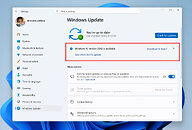 If you want 25H2 right away, flip on "Get the latest updates as soon as they're available" in Windows Update to move your PC earlier in the staged rollout, but keep in mind Microsoft can delay the update for devices with detected issues (like driver or app incompatibilities) until those are fixed, so it still might not show up immediately. If you'd rather upgrade straight from 24H2 to 25H2, download the enablement package that matches your system architecture from Microsoft's website.
Source:
Windows Blog
With the 25H2 update, Microsoft is not focusing on significant under-the-hood changes or a visual overhaul, which were common in previous updates. Instead, the emphasis is primarily on security improvements. For instance, Microsoft is removing features like PowerShell 2.0 and Windows Management Instrumentation command-line (WMIC) during installation. These features were previously deprecated due to vulnerabilities to security exploits. Additionally, IT administrators now have the ability to remove pre-installed Microsoft default apps using Group Policy/MDM CSP on Enterprise and EDU devices.

122 Comments on Microsoft Releases Windows 11 25H2... With Zero New Features?
I'm not sure Fox Mulder himself would believe your conspirationists theories
=Terrible.
It's best to be make an informed decision whether or not to upgrade now or to hold off. Here is some news coverage on this release:
www.windowslatest.com/2025/10/01/microsoft-confirms-four-issues-in-windows-11-25h2-but-theyre-not-a-dealbreaker/
www.windowscentral.com/microsoft/windows-11/microsoft-confirms-windows-11-version-25h2-issues-and-offers-potential-workarounds
wccftech.com/microsoft-windows-11-25h2-version-has-rolled-out-to-users/
www.bleepingcomputer.com/news/microsoft/microsoft-media-creation-tool-broken-on-windows-11-arm64-pcs/
And at least one site has posted links to the ISO:
www.windowscentral.com/microsoft/windows-11/microsofts-official-windows-11-version-25h2-rtm-iso-media-is-now-available-download-all-28-languages-here-for-x64-or-arm64
Up to each individual to decide if these are worth the risk.
Best of luck to all the intrepid souls who love living on the razor's edge!
:):p:D
Do some actual research and testing. If you say true statements, you won't get removed. easy.
This version is basically the same as 24h2, no real difference in fps... 24h2 is not as good as 22h2 w10.
www.windowscentral.com/microsoft/windows-11/microsoft-confirms-windows-11-version-25h2-no-new-features
lol
After running WU open it and it will point out if any of your settings have changed and offers to revert it.
Win10 does the exact same thing so i dont know why people single out Win11 for this behavior.
I get no feature updates on LTSC, but every security update, and I can simply choose when I want to hit the update button to get that cumulative package in. Life is very simple, really.
Windows 11 23H2 vs 22H2 Features
In general, Windows 11 23H2 includes all the features of Windows 11 22H2. In addition, many new features are added to Windows 11 23H2. For example:
:D:mad:Microsoft Copilot. It is a chatbot developed by Microsoft. If you enable it in Windows, you can use natural words to control all components on your computer. Microsoft Copilot is also available in Edge and Office. In addition, a dedicated Copilot key was announced for Windows keyboards.
:rockout::clap:The native RAR, 7z, and TAR support. By using the libarchive open-source project, Windows 11 can now read and write TAR, 7z, RAR (read-only), and other archive file formats.
:rolleyes::oops:The Windows Backup app. It can quickly get your current PC backed up and ready to move to a new PC.
:mad::mad:In addition, Windows 11 23H2 also improves many existing features of Windows 11 22H2 and fixes many bugs. Windows 11 23H2 also removes some features. But don’t worry, these features are removed because only a few people use them. Therefore, removing these features will not affect your user experience.
Not the same, duh?:rolleyes:;)no. Installed win 11.25H2 from "business" iso to VirtualBOX, disconnected Vbox network adapter and windows hasn't even asked for network lmfao, just created local account straightforward.:):peace::laugh:both 10.22h2 and 11.24h2 have "shared" "features" (f..ed up some updates):rolleyes::oops: that's why I use now 10.21H2 and 11.21/22H2 with disabled "feature updates".:)
well the new "features" are a more advanced AI-Surveillance, that the user can not deactivate.
so its better not to tell them about it...
anyway