Thursday, May 14th 2026

Microsoft is Fixing Windows 11 Downgrading GPU Drivers
Microsoft is finally changing how the Windows 11 operating system installs GPU drivers. According to the latest document, Microsoft is introducing a new method to manage driver installation in Windows 11, aiming to prevent the previous issue where the system would automatically install GPU drivers, overriding newer installations and potentially downgrading them to older versions. To address this, Microsoft is simplifying its hardware identification targeting system from a four-part stack to a new two-part model. Reportedly, the Windows Hardware Compatibility Program (WHCP) will now combine the Hardware ID (HWID) and Computer Hardware ID (CHID) into a new target, ensuring that the installed version is the newest and preventing downgrades.
PC OEMs are known for bundling older drivers with their PCs. By the time these PCs reach consumers, they are often months old and running outdated drivers. When performing a system update through Microsoft Windows Update, these PCs wouldn't download the latest GPU driver versions and were often left with these old versions. Microsoft now hopes to introduce this two-part driver update system by the end of 2026 or possibly early 2027 if development takes longer.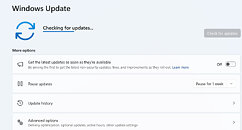 Additionally, Microsoft plans to add a feature called Cloud-Initiated Driver Recovery for Windows Update, which will automatically roll back any problematic drivers to the last known stable release. When a driver is identified as problematic, Windows Update will perform a recovery action from the cloud, replacing the faulty release with a stable one. No manual intervention will be needed, as Microsoft wants users to rely on Windows to resolve these issues. The timeframe for this feature is reportedly September, when the Windows 11 OS will start this process.
Sources:
Microsoft, via Neowin
PC OEMs are known for bundling older drivers with their PCs. By the time these PCs reach consumers, they are often months old and running outdated drivers. When performing a system update through Microsoft Windows Update, these PCs wouldn't download the latest GPU driver versions and were often left with these old versions. Microsoft now hopes to introduce this two-part driver update system by the end of 2026 or possibly early 2027 if development takes longer.

44 Comments on Microsoft is Fixing Windows 11 Downgrading GPU Drivers
That's right even if you install the latest driver Windows update will override it with a older installation.
Microslop is far too late to acknowledge this especially this issue dates all the way back to Windows 8.
Which is why during driver installation or update, many do not practice disconnecting the PC from internet.
Even if you DDU while the PC is connected to the internet, it will still install the older driver.
The only solution is Win update have to make driver installation optional than force.
Laptop IGP will be worse even if you install the manufacturer version than Win update update the driver.
Function like GPU switching is disabled due to wrong driver installed, for laptop I usually have
to ensure the GPU switching is working properly.
Good they're doing this if it is a problem.
Recently i disabled Wi-Fi module in motherboard BIOS, but Windows update decided to update it on new version.
Similar situation with disabled iGPU. Yeah, it's cool idea to download 1,1 GB of AMD driver for disabled integrated graphics i don't use.
DO NOT TOUCH da DRIVERS!! *Arnold*
- Disable updating drivers.
- Enable updating drivers.
For me; DDU prevent windows from updating my GPU driver and I disabled drivers updates through Group Policy Editor so windows stop ruining my audio driver.