Thursday, October 8th 2026

The Witcher 3 Wild Hunt Remastered Gets Substantial Improvements Following Player Feedback

The Witcher 3: Wild Hunt Remastered launched on September 29, bringing with it a number of improvements to the legendary RPG's gameplay and graphics and pushing it to its highest peak concurrent player count to date. However, despite the widespread praise for the remaster's overall execution, there were still complaints about issues with the game's performance and some aspects of the remaster's visual style, especially on consoles, where some graphics toggles were missing for users. One complaint in particular was distracting or unappealing graphics, which came down to poor lighting, tone mapping, and bloom implementation.

At a global scale, Patch 5.01, which is already available for Steam, GOG, Epic Games, Battle.net, and Xbox Play Anywhere, as well as on PS5 and Xbox Series consoles, improves bloom, tone mapping, character lighting, Ray Tracing, and Path Tracing. On PC, the update fixes a bunch of graphics settings, like being able to enable hardware-specific graphics settings when the hardware was not available to support them; dynamic resolution scaling not applying correctly; and disabling dynamic resolution scaling by default. It also addresses some of the visual issues some console players were having, adding options in the graphics settings for bloom, light shafts, and depth of field. Consoles also received "various optimizations to improve performance," although there are no specifics attached to that claim.

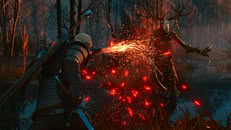
Lastly, CDPR has also promised an imminent update to the Switch 2 version of the game, "introducing closer parity between all versions of the game, including the same global changes as on other platforms. It will also improve on some Nintendo Switch 2-specific aspects, such as image clarity and sharpness."

The full update notes follow:
Every step on the Path is an opportunity to improve for a Witcher. See how we've improved The Witcher 3: Wild Hunt—Remastered with Patch 5.01, out now on PC (Steam, GOG, Epic Games Store, Battle.net, Xbox Play Anywhere), PlayStation 5, and Xbox Series X|S:

Gameplay
  • Fixed an issue where the "Automatically Apply Blade Oils" feature would work only if enabled during the current game session.
  • Fixed an issue where, under specific circumstances, player-controlled boats could start moving uncontrollably and ignore terrain collisions.
  • Improved ladder interaction animations.
  • Fixed an issue where Geralt would collide with dead enemies after the Aard finisher.
  • Fixed an issue where Vesemir would repeatedly say the same line if Quen was cast multiple times.
  • Fixed an issue where dodging could have an unintentionally delayed response.
  • Fixed an issue where it was possible to throw a bomb even if the option is disabled.
  • Fixed an issue where the bonus granted by the Synergy skill displayed incorrect values.
  • Added damage reflection to the Exploding Shield skill.
  • Fixed an issue where Geralt's Stamina would be fully drained when sprinting and dodging at the same time.
UI
  • Fixed an issue where the "You've gained an ability point!" pop-up could stay stuck on the screen.
  • Fixed input hints flashing for a brief moment on the meditation screen.
  • Fixed an issue where the Potions tutorial didn't appear after accessing the Consumables tab.
  • Fixed some misaligned progress bars in the UI.
PC-specific
  • Fixed an issue where the GTAO Quality setting would reset after restarting the game.
  • Fixed an issue where Dynamic Resolution Scaling could display the wrong setting after changing the Anti-Aliasing mode.
  • Fixed cases in which it was possible to enable a graphics setting when using a GPU that doesn't support it.
  • Fixed an issue where switching graphics presets could apply DLSS or XeSS on GPUs where they're not supported.
  • Changed the default Dynamic Resolution Scaling setting to OFF.
  • Fixed an issue where Skill tooltips wouldn't update until hovered over again.
  • Fixed an issue where the game could sometimes select the wrong GPU.
Consoles
  • Added Bloom, Light Shafts, and Depth of Field options to the graphics settings.
  • Made various optimizations to improve performance.
  • Fixed an issue where settings on PlayStation 5 would reset every time the game was launched.
  • The fix for voiceover audio becoming significantly quieter than other in-game audio after navigating through the pause menu tabs is now also implemented on consoles.
  • Fixed issues with incorrect frame rate limits in different graphics modes on the base PlayStation 5.
  • Ukrainian text localization is now available in all regions.
Other
  • Made various visual adjustments, including improvements to Bloom, tone mapping, character lighting, Ray Tracing, and Path Tracing.
  • Due to backend issues, the policy consent screen will appear again. You'll need to confirm your preferences once more. Choosing to opt in helps us improve the game.
  • Fixed an issue where My Rewards and Twitch/Bilibili Drops wouldn't appear in the chest in Vizima if it had been opened previously. As a result of this fix, some of the items may be duplicated. Consider them a bonus!
  • Fixed an issue where foliage did not react to collisions.
  • Fixed an issue that could affect save file data and added measures to address saves that may have already been affected.
  • Fixed an issue where Dynamic Resolution Scaling could cause visual artifacts in certain configurations.
In addition to this, we are also working on an update for the Nintendo Switch 2 version of The Witcher 3: Wild Hunt — Remastered, introducing closer parity between all versions of the game, including the same global changes as on other platforms. It will also improve on some Nintendo Switch 2-specific aspects, such as image clarity and sharpness. Expect more information regarding this in the following days.
Source: CD Projekt Red
Add your own comment

28 Comments on The Witcher 3 Wild Hunt Remastered Gets Substantial Improvements Following Player Feedback

#1
WOLFTECHS
Cpt.JankThe Witcher 3: Wild Hunt Remastered launched on September 29, bringing with it a number of improvements to the legendary RPG's gameplay and graphics and pushing it to its highest peak concurrent player count to date. However, despite the widespread praise for the remaster's overall execution, there were still complaints about issues with the game's performance and some aspects of the remaster's visual style, especially on consoles, where some graphics toggles were missing for users. One complaint in particular was distracting or unappealing graphics, which came down to poor lighting, tone mapping, and bloom implementation.

At a global scale, Patch 5.01, which is already available for Steam, GOG, Epic Games, Battle.net, and Xbox Play Anywhere, as well as on PS5 and Xbox Series consoles, improves bloom, tone mapping, character lighting, Ray Tracing, and Path Tracing. On PC, the update fixes a bunch of graphics settings, like being able to enable hardware-specific graphics settings when the hardware was not available to support them; dynamic resolution scaling not applying correctly; and disabling dynamic resolution scaling by default. It also addresses some of the visual issues some console players were having, adding options in the graphics settings for bloom, light shafts, and depth of field. Consoles also received "various optimizations to improve performance," although there are no specifics attached to that claim.

Lastly, CDPR has also promised an imminent update to the Switch 2 version of the game, "introducing closer parity between all versions of the game, including the same global changes as on other platforms. It will also improve on some Nintendo Switch 2-specific aspects, such as image clarity and sharpness."

The full update notes follow:
I've seen the side by side comparison and I was not impressed the older game had better lighting and shadows
The game
Posted on Reply
#2
AsRock
TPU addict
Got some weired glitchy graphics yesterday, hope they fixed it but by reading the notes it don't seem so.
WOLFTECHSI've seen the side by side comparison and I was not impressed the older game had better lighting and shadows
The game
Looked the same to me except it being in 4k now ( played it at release @ 1080), and RT is pointless trying at least i could get some options to work well in CP2077 but not this.
Posted on Reply
#3
WOLFTECHS
Oh boy, what kind?
AsRockGot some weired glitchy graphics yesterday, hope they fixed it but by reading the notes it don't seem so.
Posted on Reply
#4
AsRock
TPU addict
White dots all around the plants and when you first see the NPC's their clothes would show orange before changing to what they should do some did not even change to what they should be.
Posted on Reply
#5
WOLFTECHS
Yes, that is a known lighting unfortunately and rendering glitch. It usually happens when the game fails to properly load screen-space reflections, ray tracing, or level-of-detail shaders for foliage and clothing textures.

But try these Restarting the game completely or cycling your graphics settings, especially ray tracing and ambient occlusion. usually fixes it temporarily. If you are playing on PC with older visual mods installed, dissabling them often resolves the issue permanent I do hope it helps
AsRockWhite dots all around the plants and when you first see the NPC's their clothes would show orange before changing to what they should do some did not even change to what they should be.
y
Posted on Reply
#6
AsRock
TPU addict
WOLFTECHSYes, that is a known lighting unfortunately and rendering glitch. It usually happens when the game fails to properly load screen-space reflections, ray tracing, or level-of-detail shaders for foliage and clothing textures.

But try these Restarting the game completely or cycling your graphics settings, especially ray tracing and ambient occlusion. usually fixes it temporarily. If you are playing on PC with older visual mods installed, dissabling them often resolves the issue permanent I do hope it helps


y
Seems to be fixed now, who knows. Games runs like garbage with RT on ther 7800XT anyways.

Playable is not 30-40 fps for me. Personally to have every thing else sharp and clean is better than lowering details than to have RT in place of it.
Posted on Reply
#7
WOLFTECHS
AsRockSeems to be fixed now, who knows. Games runs like garbage with RT on ther 7800XT anyways.

Playable is not 30-40 fps for me. Personally to have every thing else sharp and clean is better than lowering details than to have RT in place of it.
Yeah for me Ill play oblivion Remastered at 25fps if its high graphics. For me ill pretend im playing ps3 lol, but I hope I helped and lets hope for a new update soon
Posted on Reply
#8
AusWolf
The original looked great and ran well on a GTX 960. It seems the update looks questionable and runs like ass on any hardware. Who needed this? :(
Posted on Reply
#9
FierceRed
I'm sure some will accuse me of jumping to CDPR's defense but...
WOLFTECHSI've seen the side by side comparison and I was not impressed the older game had better lighting and shadows
Did they fix it? Are you saying this about the launch version of Remastered or the 5.01 patch?
AsRock...at least i could get some options to work well in CP2077 but not this.
AusWolfThe original looked great and ran well on a GTX 960. It seems the update looks questionable and runs like ass on any hardware. Who needed this? :(
The classic version of Witcher 3 with the better tone maps and more performant settings is still available. My understanding is we haven't lost access to anything.

Assuming you got it on GOG of course, I couldn't tell you what Steam did though they're pretty good about alt versions too.
Posted on Reply
#10
AusWolf
FierceRedThe classic version of Witcher 3 with the better tone maps and more performant settings is still available. My understanding is we haven't lost access to anything.
Where? As far as I know, they removed the toggle from the launcher.
Posted on Reply
#11
close
Going from 5.0 to 5.0.1 is a 48.56GB download on my system. Having to redownload the whole game for a patch is getting a bit out of hand.
Posted on Reply
#12
evernessince
closeGoing from 5.0 to 5.0.1 is a 48.56GB download on my system. Having to redownload the whole game for a patch is getting a bit out of hand.
The patch is 1.08GB


You've got something else going on if you had to download 48.5GB
Posted on Reply
#13
TheinsanegamerN
AusWolfWhere? As far as I know, they removed the toggle from the launcher.
You have to download the manual installer.

Its a royal PITA. Whatever happened to the days of just adding a different launcher option for the "remASStered" port?
Posted on Reply
#14
AsRock
TPU addict
FierceRedI'm sure some will accuse me of jumping to CDPR's defense but...


Did they fix it? Are you saying this about the launch version of Remastered or the 5.01 patch?


The classic version of Witcher 3 with the better tone maps and more performant settings is still available. My understanding is we haven't lost access to anything.

Assuming you got it on GOG of course, I couldn't tell you what Steam did though they're pretty good about alt versions too.
Yeah i know, but spent a few 100's hours playing the original to get screwed on the ending, to be spawned in the middle of a field some what near the 3 witches, had tried to play though again but got bored.

Maybe 10 yrs be long enough to try again haha.
Posted on Reply
#15
Devastator0
FierceRedI couldn't tell you what Steam did though they're pretty good about alt versions too.
Yeah you can choose which version you want by right clicking on the game in Steam (before it's installed), going to Properties then into the "Game Versions & Betas" tab. You have the option of:

Default Public Version (The new remaster)
Classic: The full OG version, Patch 1.32 (Dated Dec 13, 2022)
Next-gen: Witcher 3 next gen update, Patch 4.04 (Dated Jun 6, 2024)

So looks like they left it with good options for people who don't necessarily want the hardware punishing experience of this new version. I personally stick to the "Next-gen" version.
Posted on Reply
#16
AusWolf
Devastator0Yeah you can choose which version you want by right clicking on the game in Steam (before it's installed), going to Properties then into the "Game Versions & Betas" tab. You have the option of:

Default Public Version (The new remaster)
Classic: The full OG version, Patch 1.32 (Dated Dec 13, 2022)
Next-gen: Witcher 3 next gen update, Patch 4.04 (Dated Jun 6, 2024)

So looks like they left it with good options for people who don't necessarily want the hardware punishing experience of this new version. I personally stick to the "Next-gen" version.
That's good to know, thanks! :)
Posted on Reply
#17
mechtech
"One complaint in particular was distracting or unappealing graphics, which came down to poor lighting, tone mapping, and bloom implementation."

Not surprising

I have not liked bloom, depth of field and many other graphics settings since they appeared and been disabling them forever.
Posted on Reply
#18
Apocalypsee
I still play the classic version 1.32 since forever. Its mature enough that it won't cause problems, and mods are plenty if there is any issues (like rolling down stairs)
Posted on Reply
#19
BigMack70
AusWolfThe original looked great and ran well on a GTX 960. It seems the update looks questionable and runs like ass on any hardware. Who needed this? :(
I did. Looks and runs amazing with maxed out path tracing on a 5090 on 5.01. Fifth playthrough here I come...
Posted on Reply
#20
AusWolf
BigMack70I did. Looks and runs amazing with maxed out path tracing on a 5090 on 5.01. Fifth playthrough here I come...
Maybe you wanted it, but you never needed it.
Posted on Reply
#21
Frick
Fishfaced Nincompoop
AusWolfMaybe you wanted it, but you never needed it.
The only things we need is water, food and shelter. Our entire hobby couldn't exist outside times of exteme abundance.
Posted on Reply
#22
azrael
Sooo... Anyone tried the new version on Windows 10 yet? Is it even allowed to be installed on such an old and inferior operating system?
Posted on Reply
#23
Sithaer
azraelSooo... Anyone tried the new version on Windows 10 yet? Is it even allowed to be installed on such an old and inferior operating system?
I am on Win 10 still and it works just fine. 'GoG version'
At least they fixed the FG not working on 21:9 resolutions, now it does.
Posted on Reply
#24
Makaveli
closeGoing from 5.0 to 5.0.1 is a 48.56GB download on my system. Having to redownload the whole game for a patch is getting a bit out of hand.
was only a 544mb download for me.
azraelSooo... Anyone tried the new version on Windows 10 yet? Is it even allowed to be installed on such an old and inferior operating system?
i'm playing on Win 10 works fine.

Did a capture yesterday at 3440x1440 Ultra+, RT, FSR4 Quality

No FG or PT

i'm finding performance is a tiny bit better from launch.

Posted on Reply
#25
AusWolf
FrickThe only things we need is water, food and shelter. Our entire hobby couldn't exist outside times of exteme abundance.
I didn't intend to go that far, but yes.

As for gaming itself, what do you "need"? The game and a PC that runs it. We had them both. That's why I said that the upgrade was unnecessary.
Posted on Reply
Add your own comment
Nov 17th, 2026 20:46 CST change timezone

New Forum Posts

Popular Reviews

TPU on YouTube

Controversial News Posts