Friday, July 3rd 2026

Intel Readies Two 22-Core "Nova Lake-S" SKUs with 108 MB bLLC Cache for Gaming

According to well-known Intel leaker Jaykihn, Intel is preparing two "Nova Lake-S" CPU models with a 22-core configuration, enhanced by the big Last Level Cache (bLLC). These processors are part of the Core Ultra 5 400S family, and Intel is developing two mid-range configurations, each with 22 cores. Both models will feature 6 "Coyote Cove" P-Cores, 12 "Arctic Wolf" E-Cores, and 4 LPE-Cores. This design includes a single compute die aimed at mid-range gaming rigs. Alongside the 22 cores, Intel plans to add an extra 108 MB of bLLC cache to boost gaming performance, similar to AMD's approach with its Ryzen X3D gaming CPUs, which currently lead in gaming performance. Intel aims to match raw CPU compute power with newer CPU cores and use bLLC to improve latency-sensitive tasks like gaming. The only difference between the two new models is that one is an unlocked 125 W TDP version, part of the "K" overclockable family, while the other is a 65 W base TDP model.

Recently, it has been observed that Intel's upcoming Z9x0 platform for "Nova Lake-S" will support up to 52 cores in a single LGA-1954 socket. Some early rumors suggest a PL2 power draw of 474 W, which is a significant increase over previous designs. This is understandable, considering that the design brings workstation-like core counts into the consumer sector for the first time. Regarding the socket, Intel's LGA-1954 has been pictured with a 2-lever independent loading mechanism (ILM), similar to what Intel's HEDT sector uses. This is typically reserved for larger CPU packages, and with the pin count now nearing 2,000 socket pins, it is a necessary choice for Intel. Importantly, the first "Nova Lake-S" CPU SKUs are scheduled for release in just a few months, likely leading to more rumors as we approach the final launch.
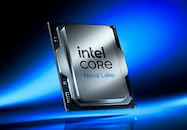
Source: Jaykihn on X
Add your own comment

279 Comments on Intel Readies Two 22-Core "Nova Lake-S" SKUs with 108 MB bLLC Cache for Gaming

#151
AusWolf
JismThis whole argument about an X3D chip consuming, "more" at idle. Please look into the tech, as that additional cache needs to be powered on all the time.

Treadrippers have an absurd high idle power consumption as well. My 5950X has a 45W idle power; that's completely normal for the dual CCD / 64MB cache.
It's not about the X3D cache, but the IO die, especially with high memory/IF speeds. I do think it's a non-issue, though.
Posted on Reply
#152
iameatingjam
N/AAtom cores are notorious for confusing the Windows scheduler.
Now? Or like.... when alder lake released back in 2021?

Cause you know, right now intel has two types of threads, pcores and ecores. And the x3ds have two types of threads (sorta), point is, its still the scheduler that has to deal with SMT and prioritizing one thread per core before going into the second thread. Whats the difference, really? Sure there were some hiccups at first, but in my experience, its pretty much resolved at this point.

Add something like the 9950x3d and its even more complicated, but windows still USUALLY has it handled. Even Raptor lake with pcores and ecores and SMT, things work pretty smooth most of the time. I really don't see why the architecture of the core has much to do with the difficulty of scheduling it.... its not like it's a x86 core and a ppc core.... Instructions go in and come out. 1st tier theads, 2nd tier threads ( or in my case, also 3rd tier threads.)

I'm not even on win 11 right now which has a better scheduler (apparently, I haven't noticed a difference since downgrading) and I rarely have to tell the cpu which cores to use... and if I do, its usually for a preference type reason windows couldn't possibly have known.

Look, the 9800x3d is a great gaming cpu. But I don't need a great gaming cpu. I need a good enough gaming cpu that is also good at other things.

So point being, ecores are a good way to increase MT perf without taking up much die space.

Are ecores at the point in NL-S where they can actually help in games? I guess we'll find out....
Posted on Reply
#153
JustBenching
Hecate91You're not saving anything compared to the cost spent on high end PC parts, also when a high end GPU is the most power hungry part.
Or I can have water instead, which is healthier and nearly free, well at least until the AI overlords pollute it all with datacenters. The soda analogy makes no sense, but you're trading soda for throwing food away instead, much more expensive to constantly exchange parts being worried about a few watts on idle.

The power consumption from TPU's own testing measured at the wall is minuscule, he spent hundreds more on a platform that won't last as long to save a few cents on the power bill.
www.techpowerup.com/review/amd-ryzen-7-9850x3d/22.html
Well you are the one that constantly brings power draw up as a point of discussion and whenever it doens't fit your skewed narrative it's not important anymore...
Posted on Reply
#154
AusWolf
iameatingjamAnd the x3ds have two types of threads (sorta),
Huh? X3D is not different from non-X3D except for the larger L3 cache. It doesn't require any extra scheduling compared to a 4th gen i7 for example (unless you mean dual CCD).
iameatingjampoint is, its still the scheduler that has to deal with SMT and prioritizing one thread per core before going into the second thread. Whats the difference, really? Sure there were some hiccups at first, but in my experience, its pretty much resolved at this point.

Add something like the 9950x3d and its even more complicated, but windows still USUALLY has it handled. Even Raptor lake with pcores and ecores and SMT, things work pretty smooth most of the time. I really don't see why the architecture of the core has much to do with the difficulty of scheduling it.... its not like it's a x86 core and a ppc core.... Instructions go in and come out. 1st tier theads, 2nd tier threads ( or in my case, also 3rd tier threads.)

I'm not even on win 11 right now which has a better scheduler (apparently, I haven't noticed a difference since downgrading) and I rarely have to tell the cpu which cores to use... and if I do, its usually for a preference type reason windows couldn't possibly have known.

Look, the 9800x3d is a great gaming cpu. But I don't need a great gaming cpu. I need a good enough gaming cpu that is also good at other things.

So point being, ecores are a good way to increase MT perf without taking up much die space.

Are ecores at the point in NL-S where they can actually help in games? I guess we'll find out....
Personally, I'm not a fan of dual CCD X3D for that reason. It's great to see your game load on the higher frequency cores, and then run on the X3D ones... When it works. It doesn't always, though. When one set of cores are good for one task, and the other set are good for other tasks, you can't schedule those tasks with 100% accuracy all the time. For example, I couldn't for the love of god make BOINC use the frequency CCD on my 7950X3D when crunching on less than 16 threads. The only solution is to modify CPPC in the BIOS to prioritise the frequency CCD, but then games will run on that, too, completely negating any advantage of having an X3D CCD.

The situation is similar with Intel. You specifically want some tasks run on the e-cores, like Windows update or background anti-malware.

The only compromise I can see in the matter is AND's Zen 4c cores, which are identical to bigger Zen 4 ones in every aspect except for size and clock speed. That can easily be sorted by CPPC preferred core scheduling, with the big cores taking priority all the time.
Posted on Reply
#155
JustBenching
AusWolfIt's not like you're not getting anything in return. I've got a CPU that more than fits my needs on a platform that will be supported for a while.

So no, you're not pouring that soda down the drain. You're exchanging it for a chocolate bar.
Well sure, but you can use that argument for everything. The 270k gives you something in return for the high load power draw ---> Insane MT performance for the cost etc.
Posted on Reply
#156
AusWolf
JustBenchingWell sure, but you can use that argument for everything. The 270k gives you something in return for the high load power draw ---> Insane MT performance for the cost etc.
Exactly. Each to their own. :)
Posted on Reply
#157
iameatingjam
AusWolfHuh? X3D is not different from non-X3D except for the larger L3 cache. It doesn't require any extra scheduling compared to a 4th gen i7 for example (unless you mean dual CCD).
Yeah IDK just an example I didn't mean exclusively. Its just the fan favourite right now I guess is the reason.
Tek-CheckTest system configurations are published in literally every single TPU review article. There's a whole page dedicated to it.
It was just a png file....
Posted on Reply
#158
Vayra86
Dr. DroAlmost nihilistic take on it, I said probably not considering gaming performance but Nova Lake will be massive. It will certainly be faster than Zen 5 could ever hope to be and when I say Zen 5 I specifically mean the 9950X3D2

When I upgraded from AM4, the 13900KS easily doubled performance over the 5950X, Nova Lake will be that type of upgrade
I'll be checking it out for sure. Not holding my breath though. Although sure if you want a CPU that does a lot MT and has X3D gaming frames that's pretty neat I agree
AusWolfIt's not about the X3D cache, but the IO die, especially with high memory/IF speeds. I do think it's a non-issue, though.
Its a non issue, for sure, by the exact same rationale as the fact that a few dozen bucks a year won't make or break ANY use case or energy bill.

Except on Intel you get excessive wattages under load which means you're not just paying the energy bill but also additional cooling and likely a lower lifespan. The problem of high wattages in components is heat. Its almost never the net energy use, especially if you're not being lax with keeping your PC idling all the time (for which there are no reasons in 2026, they can all sleep). The problem with wattage is always really about peak power; spikes on a GPU, VRMS on a board not equipped to deal with every CPU that fits in the socket, way too bursty behaviour which limits your peak performance rather than improving it, unless you throw a shitload of cooling over it, or system sustained loads being too much heat for the air you can dissipate out of the case....

Not once in a PC's lifetime ever in the history of PCs was idle wattage an issue for anyone. It really is the last hill to die on wrt a comparative discussion between two brands :) Let's appreciate that 30W is HALF an old fashioned light bulb.
Posted on Reply
#159
Hecate91
JustBenchingWell you are the one that constantly brings power draw up as a point of discussion and whenever it doens't fit your skewed narrative it's not important anymore...
I brought up load power consumption, which is a problem because higher power consumption on a load heats up a room, and it will require spending more on a motherboard and a cooler.
You keep moving the narrative to idle power since it's the only thing you can really complain about to fit your narrative. A few watts more on idle is a non-issue, there is no reason to let a PC sit doing nothing, I turn my PC off if I'm not using it.
Posted on Reply
#160
JustBenching
Vayra86Let's appreciate that 30W is HALF an old fashioned light bulb.
That's why we don't use them anymore btw.

The rest of the problems you mentioned about high power draw are solvable with a simple power limit (or with buying a non k / T cpu). You ignore it to make a point. Also again, the problem isn't idle power draw, it's low load power draw. People that work on their PCs - excel - browsing etc. You ignored that one as well...
Hecate91I brought up load power consumption, which is a problem because higher power consumption on a load heats up a room, and it will require spending more on a motherboard and a cooler.
Okay, so T lineup of cpus are the only ones you can use. AMD chips have high power consumption that heat up the room and require me to spend more on a motherboard and a cooler. Glad we agree that amd chips are unusable, with power draws being 7 times higher (220 to 250w on the high end amd chips) compared to a 14900t for example.
Hecate91You keep moving the narrative to idle power since it's the only thing you can really complain about to fit your narrative. A few watts more on idle is a non-issue, there is no reason to let a PC sit doing nothing, I turn my PC off if I'm not using it.
No I don't. I specifically mentioned a general days of work, even posted screenshots. Working using excel etc. and a lot of browsers and accounting apps, my 9800x 3d was close to 40w, my 12900k was less than 10w. You ignore it to fit your narrative :D
Posted on Reply
#161
Doctor Who
P-Cores? Sounds weird. How about V-Cores, like Velocity Cores or something? Lol
X3D is AMD's naming scheme. I wonder what Intel will call them as they once again copy AMD's strategy. 🤔
Posted on Reply
#162
tsurugi
Hecate91there is no reason to let a PC sit doing nothing, I turn my PC off if I'm not using it.
AMD takes longer to boot, so if you use the computer 4 times a day, you will waste 1200 boot times a year, booting once after going out for a meal, booting once after coming back from the restroom, etc. Intel has a shorter boot time, lower standby power, better performance under load, and the fan will not suddenly whir under random high loads like opening chrome.
Posted on Reply
#163
AusWolf
JustBenchingAMD chips have high power consumption that heat up the room and require me to spend more on a motherboard and a cooler.
You don't need to spend more on a motherboard and cooler to dissipate idle heat. You do to dissipate full load heat where Intel fares a lot worse.
JustBenchingGlad we agree that amd chips are unusable, with power draws being 7 times higher (220 to 250w on the high end amd chips) compared to a 14900t for example.


What the hell are you even talking about? Why would AMD be unusable? As if you could only limit power on Intel...
JustBenchingAlso again, the problem isn't idle power draw, it's low load power draw. People that work on their PCs - excel - browsing etc. You ignored that one as well...

...

No I don't. I specifically mentioned a general days of work, even posted screenshots. Working using excel etc. and a lot of browsers and accounting apps, my 9800x 3d was close to 40w, my 12900k was less than 10w. You ignore it to fit your narrative :D
You don't buy a 14900K, or a 9800X3D to edit Excel spreadsheets. If you do because of some other use case (occasional gaming, for example), then a £30 increase on your electricity bill per year is the least of your concerns. If you're so worried about money, then maybe you shouldn't overspend on your CPU to begin with. There are far better options for budget conscious buyers in both camps.

One does not simply talk about the highest end Intel and the most overpriced AMD CPU in context of Excel spreadsheets and a £30 difference in your yearly electricity bill. This is just silly.
Posted on Reply
#164
Thunderslat
It seems within the past week there have been two threads that turned into pages upon pages of slinging shit over power usage of all things. Is that what its come down to while we wait for one of these to be released?
Posted on Reply
#165
BoggledBeagle
Power draw was the main topic of one of the threads and low idle / light load power draw is one of the advantages of recent Intel platforms and this topic is about Intel CPUs, so why is it so surprising that it is being discussed here?
Posted on Reply
#166
JustBenching
BoggledBeaglePower draw was the main topic of one of the threads and low idle / light load power draw is one of the advantages of recent Intel platforms and this topic is about Intel CPUs, so why is it so surprising that it is being discussed here?
Because Intel has 35w high end chips while amds high end is at 7 times that... So it's not a topic that should be discussed. After all who buys a pc to use it as a pc? You open your pc, play a game, finish the game and shut it down. What do you mean that sounds like a console
AusWolfWhat the hell are you even talking about? Why would AMD be unusable? As if you could only limit power on Intel...
Huh? Apparently hecate and vayra don't think you can power limit Intel, hence they both complained about high power draw. You agreed with them so.....
Posted on Reply
#167
AusWolf
JustBenchingBecause Intel has 35w high end chips while amds high end is at 7 times that... So it's not a topic that sgouldnbe discussed.
What Intel does absolutely wrong is that they don't send out review samples of those 35 W chips, imo. I would be very interested to see how they compare against their hungrier siblings.

What AMD does wrong is that they don't offer similar economical SKUs in the high end anymore. Factory limiting the 9700X to 65 W TDP was a good choice, imo (while raising power on the 9800X3D was not), and I would love to see more similar units in the Ryzen 9 lineup where the 7900 (non-X) and 7950X3D are the only such options.
JustBenchingHuh? Apparently hecate and vayra don't think you can power limit Intel, hence they both complained about high power draw. You agreed with them so.....
I agreed with them that idle / Microsoft Excel power consumption doesn't matter, especially on a high end CPU. Or am I missing something?
Posted on Reply
#168
JustBenching
AusWolfWhat Intel does absolutely wrong is that they don't send out review samples of those 35 W chips, imo. I would be very interested to see how they compare against their hungrier siblings.
You know why they don't send them? Cause they are irrelevant. Anyone who cares about efficiency already knows you can limit any chip. Tpu already done a test with a 14900k at various limits. The only thing it would solve is that the 2 posters up there wouldn't be able to pretend you can't power limit cpus 😁
Posted on Reply
#169
BoggledBeagle
JustBenchingAnyone who cares about efficiency already knows you can limit any chip.
I would even say it is almost mandatory for everybody, when you can spare a lot of energy for a negligible loss of performance:
BoggledBeagle in Power limiting 270K PlusThis has been probably done many times with 285K and nothing new can be revealed here: 439412 The benefit of power limiting the CPU is still pretty high with 150W power limit ...
Posted on Reply
#170
AusWolf
JustBenchingYou know why they don't send them? Cause they are irrelevant. Anyone who cares about efficiency already knows you can limit any chip. Tpu already done a test with a 14900k at various limits.
That's a good point actually. I hope they'll do similar tests with Nova Lake and Zen 6 which I shall definitely look up once they drop.

Without TPU, we'd be lost.
JustBenchingThe only thing it would solve is that the 2 posters up there wouldn't be able to pretend you can't power limit cpus 😁
I still prefer a lower factory limit with a bigger headroom for performance junkies (for safety reasons during BIOS updates and such) but each to their own. I'm not here to argue which way is objectively better, as there is no such thing. :)
Posted on Reply
#171
Hecate91
tsurugiAMD takes longer to boot, so if you use the computer 4 times a day, you will waste 1200 boot times a year, booting once after going out for a meal, booting once after coming back from the restroom, etc. Intel has a shorter boot time, lower standby power, better performance under load, and the fan will not suddenly whir under random high loads like opening chrome.
Every PC with DDR5 takes longer to boot than DDR4, though memory context restore fixes long boot times for the most part. I turn my PC on once or twice a day, I'm not at it all day though.
Idle power is being blown way out of proportion, power use on a load is what matters to me since higher load power consumption requires a larger cooler, more fans, affects room temperature, and will increase the cost of electricity. I prefer a platform which has load efficiency and allows upgrades without needing to buy a new motherboard. If you're worried about power use at idle you shouldn't be buying high end CPU's to do office work, a laptop or mini PC does that just fine. I don't leave any PC fans on an auto fan profile, most motherboard makers either have the fans too fast or slow by default, and I don't use Chrome.
JustBenchingThat's why we don't use them anymore btw.

The rest of the problems you mentioned about high power draw are solvable with a simple power limit (or with buying a non k / T cpu). You ignore it to make a point. Also again, the problem isn't idle power draw, it's low load power draw. People that work on their PCs - excel - browsing etc. You ignored that one as well...
The difference in power draw at idle is a few LED bulbs, a few $ per year at the most if the PC is left on 24/7. Replacing a 7950X with a 285K is like complaining about the price of gas and going out to buy a brand new EV, the cost of buying a new car isn't going to account for any savings.
But if what you do on a PC all day consists of Excel and Youtube then you shouldn't be using a high end CPU for any of that. The discussion was idle power draw, you've been moving the goalposts to low intensity loads.
JustBenchingOkay, so T lineup of cpus are the only ones you can use. AMD chips have high power consumption that heat up the room and require me to spend more on a motherboard and a cooler. Glad we agree that amd chips are unusable, with power draws being 7 times higher (220 to 250w on the high end amd chips) compared to a 14900t for example.
I can't buy a T SKU CPU for a DIY build, you're moving the goalposts again, and calling AMD CPU's "unusable" is being disingenuous.
The only downside to an AMD CPU is they don't make CPU's that have lower power draw out of the box, although you can limit the TDP yourself.
JustBenchingNo I don't. I specifically mentioned a general days of work, even posted screenshots. Working using excel etc. and a lot of browsers and accounting apps, my 9800x 3d was close to 40w, my 12900k was less than 10w. You ignore it to fit your narrative :D
The discussion was idle power draw then you moved it to power draw during productivity to suit your narrative.
If you're so worried about power draw using Excel or a browser then you shouldn't be using a high performance gaming CPU to do office work, like I said a laptop or mini PC does those things fine too with even less power draw. Getting worked up over 30W on the CPU is silly,IMO especially when buying a high end CPU and GPU, I've already pointed out power draw at the wall is really not anything to be worried about and you're not going to notice any difference on the power bill.
But let's see how Zen 6 compares to Nova Lake, because otherwise we're comparing a 3nm CPU to a 5nm one.
Posted on Reply
#172
BoggledBeagle
I revised the table, now it contains the actual energy in Joules to complete the task.

Posted on Reply
#173
JustBenching
Hecate91The difference in power draw at idle is a few LED bulbs, a few $ per year at the most if the PC is left on 24/7. Replacing a 7950X with a 285K is like complaining about the price of gas and going out to buy a brand new EV, the cost of buying a new car isn't going to account for any savings.
But if what you do on a PC all day consists of Excel and Youtube then you shouldn't be using a high end CPU for any of that. The discussion was idle power draw, you've been moving the goalposts to low intensity loads.
You know you don't need to throw away your pc right? You can sell it or return it if it's within the return window...

Yes, I moved the goal posts ten days ago when I clarified. Why shouldn't I be using my main pc for excel browsing and working? Lol what?
Hecate91I can't buy a T SKU CPU for a DIY build, you're moving the goalposts again, and calling AMD CPU's "unusable" is being disingenuous.
The only downside to an AMD CPU is they don't make CPU's that have lower power draw out of the box, although you can limit the TDP yourself.
Of course you can buy a t sku for a DIY build. Give me the go ahead I'll get a 14900t for you, delivered next day locally. Maybe in the US you can't, I have no idea, but in EU you canm

So now it's fine to limit the tdp yourself? Then why are you complaining about Intel tdp that forces you to buy expensive mobos and coolers? Lol
Hecate91If you're so worried about power draw using Excel or a browser then you shouldn't be using a high performance gaming CPU to do office work, like I said a laptop or mini PC does those things fine too with even less power draw. Getting worked up over 30W on the CPU is silly,IMO especially when buying a high end CPU and GPU, I've already pointed out power draw at the wall is really not anything to be worried about and you're not going to notice any difference on the power bill.
Why shouldn't you be using a high performance cpu for that? It's perfectly fine if it's an Intel high performance cpu since power draw is low. Maybe you shouldn't be using an amd cpu but don't generalize.

Anyways for me amd chips are unusable since their high end ones use 250w vs 35w for Intel, and they even use a lot of power ofr my productivity needs. I'm not willing to sacrifice 7 times lower power draw, cheaper cooler requirements cheaper mobo requirements just to get an amd sticker on the cpus box.
BoggledBeagleI revised the table, now it contains the actual energy in Joules to complete the task.

My 9800x3d at 160w and with a huge undervolt was considerably slower than your 270k at 100w. Holy cow your cpu is nuts. Is this stock or undervolted?
Posted on Reply
#174
BoggledBeagle
JustBenchingMy 9800x3d at 160w and with a huge undervolt was considerably slower than your 270k at 100w. Holy cow your cpu is nuts. Is this stock or undervolted?
CPU with three times more cores will be better in multithreading... I run everything stock, the only setting I changed is a power limit.

Funny that a 24 core CPU is now available for less than competing 8 core CPUs sells for...
Posted on Reply
#175
JustBenching
BoggledBeagleCPU with three times more cores will be better in multithreading... I run everything stock, the only setting I changed is a power limit.

Funny that a 24 core CPU is now available for less than competing 8 core CPUs sells for...
Well after reading comments here and in other threads I was expecting my 9800x3d to smash your 270k in efficiency. Turns out people are lying I guess
Posted on Reply
Add your own comment
Nov 12th, 2026 06:33 PST change timezone

New Forum Posts

Popular Reviews

TPU on YouTube

Controversial News Posts