Tuesday, September 8th 2026

Redditor's AMD Ryzen 9 9950X3D Reportedly Dies Shortly After Changing Motherboards
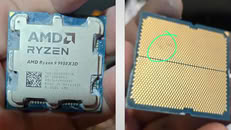
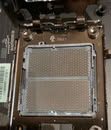
A Ryzen 9 9950X3D has reportedly died just an hour after being moved into an ASUS ROG Crosshair X670E Hero motherboard. According to Reddit user SpecialistConcept423, posting in r/GamersNexus, the chip had been running fine for about a year and a half in an ASRock X670E Taichi Carrara before the swap. After switching to the new board, no manual overclocking or voltage tweaks were applied; only one of the board's built-in memory presets was enabled for a set of SK hynix 6200 MHz modules. After saving that setting and rebooting, the board threw a "00" Q-Code and refused to post. Pulling the CPU and inspecting it revealed two brown marks on its contacts, which all but confirmed the catastrophic failure.
Things got stranger when the user resorted to an older Ryzen 5 8500G that had previously worked fine on the same board. That chip apparently now throws a "4D" code too, pointing at the motherboard itself as the culprit, not just the CPU. There's no confirmation yet on whether a faulty BIOS, a bad batch of boards, or something else is to blame, and ASUS hasn't commented on this specific case. It is worth noting that the ASUS board was not new, and it had undergone USB-related repairs and a BIOS rewrite. The user has since contacted AMD in Brazil for an RMA, but has shared no updates yet.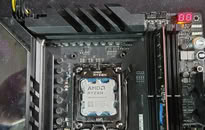
 Interestingly, this isn't the first CPU failure tied to this exact board either. We covered a Ryzen 7 7800X3D that swelled and burned on the same ROG Crosshair X670E Hero model just days ago, and last year ASRock also admitted that overly aggressive PBO current limits fried a wave of Ryzen 9000 chips on its own boards. It's too early to say if these share a root cause, but there is certainly a pattern here. In this particular case, the X670E Hero claimed not one but two CPUs, and it only needed a single setting change to do so.
Source:
Reddit
Things got stranger when the user resorted to an older Ryzen 5 8500G that had previously worked fine on the same board. That chip apparently now throws a "4D" code too, pointing at the motherboard itself as the culprit, not just the CPU. There's no confirmation yet on whether a faulty BIOS, a bad batch of boards, or something else is to blame, and ASUS hasn't commented on this specific case. It is worth noting that the ASUS board was not new, and it had undergone USB-related repairs and a BIOS rewrite. The user has since contacted AMD in Brazil for an RMA, but has shared no updates yet.


207 Comments on Redditor's AMD Ryzen 9 9950X3D Reportedly Dies Shortly After Changing Motherboards
try to remove 1 ram stick , try to remount the cpu, try to do a clear cmos using the physical button. On Asus clear cmos, you need to have the motherboard connected to the mains power that is on, but not powering up the board. Other brands you can clear cmos with everything disconnected.
A burnt cpu or board will have a smell, did you smelled anything
Sorry, but after reading this I kind of no longer wonder why so much hardware recently died ...
If the cpu was faulty from the begining, the Asus board worked well till the ram preset was enabled, the ASROCK board i had several issues before the incident and with another CPU too (9950x) i think those 2 cases can be related to:
One motherboard was slowly damaging one cpu and the other board finished and died with the cpu in the processthere's no overclock in a crucial 4800 jedec ram, no clear cmos worked either, no battery removal worked too, i tried all of that, the only qcode i got was 4D, no smell too
The 8500g is working, the crucial 4800 jedec ram is working, my titanium kit is working, only the board isn't working anymore thats why i can say she's "dead" or faultyno problem since both sticks are running at JEDEC Spec (4000mhz the lowest one) who's the base for all ddr5 kits unless the IC they use, i just need to put a little bit of vdd to pass the impedance achieved by the adapter, it's working for almost a week no BSOD or issues, in this scenario it's working well there's no point to say the CPU is faulty (8500G) or the ram sticks (i used only the crucial 4800 jedec in Asus board also)
I attached a picture of the 8500g with the SODIMM and the crucial ddr5:peace:
I have been using mine 9800X3D with 3200 on IMC, and it was causing corruptions. I had no BSODs, no crashes, yet some files got corrupted (incl. OS ones).
Then I run multiple memory tests and it was absolutely clear the memory is unstable. I needed to lower IMC to 3100 MHz, then it was stable after 12h in OCCT and TestMem5.
The crucial difference between SO-DIMM and DIMM is voltage and signal integrity. But since you choose conservative JEDEC standard, 1.1V or 1.2V is perfectly safe for SO-DIMM.
I strongly suggest you running proper memory stress test.
And i put my Corsair Dominator Airflow over them to keep more stable the temp and hide the bad looks